DBA Hub

📋Steps in this guide1/4

Add Database on EM Cloud Control 13c

Add Database on EM Cloud Control 13c

oracle configurationintermediate
by OracleDba
11 views
1

Overview

Add Database on EM Cloud Control 13c 0. Overview There are various different ways that a database can be added in Cloud Control (eg. manual discovery, automatic discovery, discovery via guided processes, discovery via EMCLI). This document describes how the target can be added manually. 1. Agent host Environment

Code/Command (click line numbers to comment):

1
2
There are various different ways that a database can be added in Cloud Control (eg. manual discovery, automatic discovery, discovery via guided processes, discovery via EMCLI).  
This document describes how the target can be added manually.
2

Section 2

1. Agent host Environment Platform : Linuxx86_64, Linux 7 Server IP : 192.168.2.11 / dg1.rajasekhar.com OEM Version : 13c Release 3 (13.3.0.0) Agent HOME : /u01/app/oracle/agent/agent13c/ DB ORACLE_HOME : /u01/app/oracle/product/19.0.0/dbhome_1 Database Name : dell Database Version : 19.3.0.0.0 2. Install EM 13C Agent on Host(Add host targets manually)

Code/Command (click line numbers to comment):

1
2
3
4
5
6
7
Platform                        : Linuxx86_64, Linux 7
Server IP 		        : 192.168.2.11 / dg1.rajasekhar.com
OEM Version 			: 13c Release 3 (13.3.0.0)
Agent HOME 			: /u01/app/oracle/agent/agent13c/
DB ORACLE_HOME			: /u01/app/oracle/product/19.0.0/dbhome_1
Database Name 			: dell
Database Version 		: 19.3.0.0.0
3

Section 3

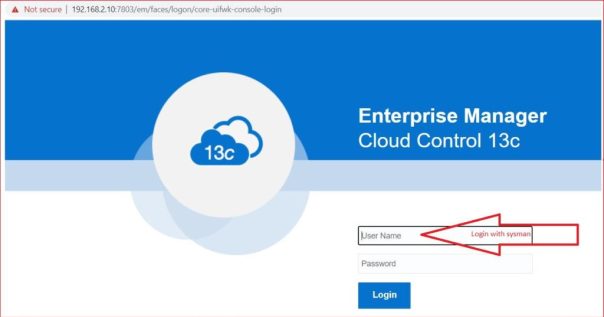
Please follow the screen shots. 3. Add database to EM 13C
Step 3

Code/Command (click line numbers to comment):

1
2
3
Please follow the screen shots.

Please follow the screen shots.
4

Section 4

Caution: Your use of any information or materials on this website is entirely at your own risk. It is provided for educational purposes only. It has been tested internally, however, we do not guarantee that it will work for you. Ensure that you run it in your test environment before using. Caution: Your use of any information or materials on this website is entirely at your own risk. It is provided for educational purposes only. It has been tested internally, however, we do not guarantee that it will work for you. Ensure that you run it in your test environment before using.

Comments (0)

Please to add comments

No comments yet. Be the first to comment!