DBA Hub

📋Steps in this guide1/1

Automatic Database Diagnostic Monitor (ADDM) Compare Period in Oracle Database 12c Release 1 (12.1)

Oracle database 12c now allows you to compare periods of activity at database or instance level using the DBMS_ADDM package.

oracle 12cconfigurationintermediate
by OracleDba
13 views
1

Real Application Testing

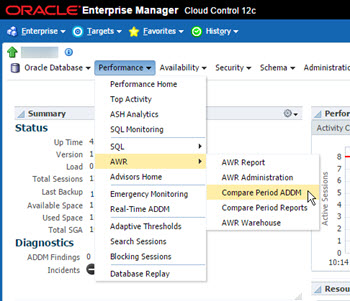
Enterprise Manager Cloud Control has included functionality to compare ADDM periods for some time. Oracle 12c has added this functionality into the package, so it is now possible to compare ADDM periods without using Cloud Control. This functionality requires Enterprise Edition and the Diagnostics and Tuning option. Make sure you have the correct licensing before using this functionality. - Snapshots - COMPARE_DATABASES - COMPARE_INSTANCES - Real Application Testing Related articles. As with previous releases, ADDM does analysis of the data in the AWR, so any references to snapshots relates to the AWR snapshots, described here . The article assumes you have identified snapshots from a specific time range using the view. The function produced a HTML or XML report comparing two time periods of the same database or two different databases. When comparing two databases, all AWR data must reside locally. If the and parameters are omitted or set to NULL, the current database is assumed. The parameter determines if the report is in HTML or XML format. The examples below show how to produce both types of report for the current database. You will have to edit the top and bottom of the spooled files to remove the additional SQL*Plus output. The function produced a HTML or XML report comparing two time periods of the same instance or two different instances. This is especially useful for comparing RAC instances. When comparing two instances from different databases, all AWR data must reside locally. If the and parameters are omitted or set to NULL, the current database is assumed. The and parameters specify the instances to be compared. The parameter determines if the report is in HTML or XML format. The examples below show how to produce both types of report for the current database and instance. You will have to edit the top and bottom of the spooled files to remove the additional SQL*Plus output. The package also contains two Real Application Testing comparison functions. - COMPARE_CAPTURE_REPLAY_REPORT : Compares the capture to the replay and produces a Compare Period ADDM report, highlighting the differences between the two. - COMPARE_REPLAY_REPLAY_REPORT : Compares two replays to each other and produces Compare Period ADDM report, highlighting the differences between the two. For more information see: Hope this helps. Regards Tim...
Step 1

Comments (0)

Please to add comments

No comments yet. Be the first to comment!