DBA Hub

📋Steps in this guide1/1

Filtered Partition Maintenance Operations in Oracle Database 12c Release 2 (12.2)

Oracle Database 12c Release 2 (12.2) allows you to add a filter condition when you move, split or merge a partition, move a table or convert a non-partitioned table to a partitioned table.

oracle 12cconfigurationintermediate
by OracleDba
13 views
1

Merge Partitions

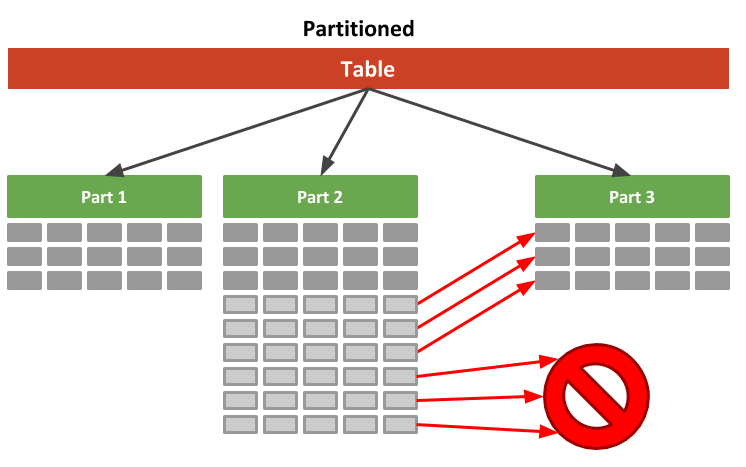
Oracle Database 12c Release 2 (12.2) allows you to add a filter condition when you move, split or merge a partition, move a table or convert a non-partitioned table to a partitioned table. Only those rows matching the filter condition are included in the resulting object. The filter condition is only allowed on heap tables, can only reference columns from the table and can be used in conjunction with online operations with some additional considerations . This article provides some simple examples using filter conditions with maintenance operations. The examples in this article are mostly based on partition management operations, but this functionality applies equally to subpartition maintenance operations. - Move a Table - Convert a Non-Partitioned Table to a Partitioned Table - Move a Partition - Split a Partition - Merge Partitions Related articles. Create and populate a new test table. Check the contents of the table. Move the table, filtering out rows with an value greater than 50. Check the contents of the table. The rows with an value between 51 and 100 have been removed. Create and populate a new test table. Check the contents of the table. Convert the table to a partitioned, filtering out rows with an value greater than 50. Check the contents of the partitions. The rows with an value between 51 and 100 have been removed. Create and populate a new test partitioned table. Check the contents of the partitions. Move a partition, filtering out rows with an value greater than 50. Check the contents of the partitions. The rows with an value between 51 and 100 have been removed. Create and populate a new test partitioned table. Check the contents of the partition. Split the partition, filtering out rows with an value greater than 50. Check the contents of the partitions. The rows with an value between 51 and 100 have been removed. Create and populate a new test partitioned table. Check the contents of the partitions. Merge the partitions, filtering out rows with an value greater than 50. Check the contents of the partitions. The rows with an value between 51 and 100 have been removed. For more information see: Hope this helps. Regards Tim...
Step 1

Comments (0)

Please to add comments

No comments yet. Be the first to comment!