DBA Hub

📋Steps in this guide1/6

Install Oracle AI Database 26ai (23.26.1) for Linux x86-64

Install Oracle AI Database 26ai (23.26.1) for Linux x86-64 Pre-requisites already been taken care like memory, swap, kernel parameters, add groups, profile and users…etc

oracle Oracle 26aiinstallationintermediate
by OracleDba
51 views
1

Overview

Install Oracle AI Database 26ai (23.26.1) for Linux x86-64 Pre-requisites already been taken care like memory, swap, kernel parameters, add groups, profile and users…etc 1. Hardware Requirements
2

Section 2

1. Hardware Requirements 2. Verify OS version Red Hat Enterprise Linux release 9.6 (Plow)

Code/Command (click line numbers to comment):

1
2
3
4
5
6
7
8
9
10
11
12
13
14
15
16
17
18
19
20
21
22
23
24
25
26
27
28
29
30
31
32
33
34
35
36
The first thing we need to verify the hardware requirements
— Check Physical RAM.
[root@lxicborasgv01 ~]#
grep MemTotal /proc/meminfo
MemTotal:       17516840 kB
[root@lxicborasgv01 ~]#
— Check Swap Space.
[root@lxicborasgv01 ~]#
grep SwapTotal /proc/meminfo
SwapTotal:       8253436 kB
[root@lxicborasgv01 ~]#
-– Check space available in /tmp
[root@lxicborasgv01 ~]#
df -h /tmp
Filesystem              Size  Used Avail Use% Mounted on
/dev/mapper/ol_10-root   62G  7.2G   54G  12% /
[root@lxicborasgv01 ~]#
-– Check space for Oracle Software and pre-configured database.
[root@lxicborasgv01 ~]#
df -h /u01
Filesystem              Size  Used Avail Use% Mounted on
/dev/mapper/ol_10-home   30G  246M   30G   1% /u01
[root@lxicborasgv01 ~]#
—- Check CPU
[root@lxicborasgv01 ~]#
lscpu | grep -i "CPU(s):" | head -n 1
CPU(s):                                  4
[root@lxicborasgv01 ~]#

[root@lxicborasgv01 ~]# cat /etc/redhat-release
Red Hat Enterprise Linux release 9.6 (Plow)
[root@lxicborasgv01 ~]#

[root@lxicborasgv01 ~]# cat /etc/hosts | grep -i lxicborasgv01
192.168.2.52 lxicborasgv01
[root@lxicborasgv01 ~]#
3

Section 3

3. Download Software 4. Oracle Installation Prerequisites

Code/Command (click line numbers to comment):

1
2
3
4
5
6
7
8
9
10
11
12
13
14
15
16
17
18
19
20
21
22
23
24
25
26
27
28
29
30
31
32
33
34
35
36
37
38
39
40
41
42
43
44
45
46
47
Download the Oracle software from OTN or MY ORACLE SUPPORT (MOS).
https://www.oracle.com/database/technologies/oracle26ai-linux-downloads.html

[root@lxicborasgv01 ~]#
dnf install -y oracle-ai-database-preinstall-26ai
Last metadata expiration check: 0:44:40 ago on Wed 28 Jan 2026 06:14:51 PM.
Dependencies resolved.
==============================================================================================================================================================================================================
 Package                                                           Architecture                          Version                                           Repository                                    Size
==============================================================================================================================================================================================================
Installing:
 oracle-ai-database-preinstall-26ai                                x86_64                                1.0-1.el9                                         ol9_appstream                                 34 k
Installing dependencies:
 compat-openssl11                                                  x86_64                                1:1.1.1k-5.el9_6.1                                ol9_appstream                                1.5 M

Transaction Summary
==============================================================================================================================================================================================================
Install  2 Packages

Total download size: 1.5 M
Installed size: 3.8 M
Downloading Packages:
(1/2): oracle-ai-database-preinstall-26ai-1.0-1.el9.x86_64.rpm                                                                                                                295 kB/s |  34 kB     00:00
(2/2): compat-openssl11-1.1.1k-5.el9_6.1.x86_64.rpm                                                                                                                           3.4 MB/s | 1.5 MB     00:00
--------------------------------------------------------------------------------------------------------------------------------------------------------------------------------------------------------------
Total                                                                                                                                                                         3.4 MB/s | 1.5 MB     00:00
Running transaction check
Transaction check succeeded.
Running transaction test
Transaction test succeeded.
Running transaction
  Preparing        :                                                                                                                                                                                      1/1
  Installing       : compat-openssl11-1:1.1.1k-5.el9_6.1.x86_64                                                                                                                                           1/2
  Installing       : oracle-ai-database-preinstall-26ai-1.0-1.el9.x86_64                                                                                                                                  2/2
  Running scriptlet: oracle-ai-database-preinstall-26ai-1.0-1.el9.x86_64                                                                                                                                  2/2
  Verifying        : compat-openssl11-1:1.1.1k-5.el9_6.1.x86_64                                                                                                                                           1/2
  Verifying        : oracle-ai-database-preinstall-26ai-1.0-1.el9.x86_64                                                                                                                                  2/2

Installed:
  compat-openssl11-1:1.1.1k-5.el9_6.1.x86_64                                                        oracle-ai-database-preinstall-26ai-1.0-1.el9.x86_64
Complete!
[root@lxicborasgv01 ~]#

[root@lxicborasgv01 ~]#
id oracle
uid=54321(oracle) gid=54321(oinstall) groups=54321(oinstall),54322(dba),54323(oper),54324(backupdba),54325(dgdba),54326(kmdba),54330(racdba)
[root@lxicborasgv01 ~]#
4

Section 4

dnf install -y oracle-ai-database-preinstall-26ai 5. Unzip Software NOTE: During installation using OUI, you cannot manually edit the Oracle Home location. The installer automatically detects the ORACLE_HOME from the directory where the database binaries are unzipped. Therefore, make sure to unzip the binaries directly inside the intended ORACLE_HOME directory before running ./runInstaller. Also note that after unzipping, the files will not be placed under a single directory as in Oracle 10g, 11g, and 12c. 6. Invoke ./runInstaller

Code/Command (click line numbers to comment):

1
2
3
4
5
6
7
8
9
10
11
12
13
14
15
16
17
18
19
20
21
22
23
24
25
26
27
28
29
30
31
32
33
34
35
36
37
38
39
40
41
42
NOTE: During installation using OUI, you cannot manually edit the Oracle Home location. The installer automatically detects the ORACLE_HOME from the directory where the database binaries are unzipped. Therefore, make sure to unzip the binaries directly inside the intended ORACLE_HOME directory before running ./runInstaller.

Also note that after unzipping, the files will not be placed under a single directory as in Oracle 10g, 11g, and 12c.
[root@lxicborasgv01 ~]#
mkdir -p /u01/app/oracle/product/23.26.1/dbhome_1
[root@lxicborasgv01 ~]#
chown -R oracle:oinstall /u01
[root@lxicborasgv01 ~]#
chmod -R 775 /u01
[root@lxicborasgv01 ~]#

[root@lxicborasgv01 ~]#
passwd oracle
Changing password for user oracle.
New password:
BAD PASSWORD: The password is shorter than 8 characters
Retype new password:
passwd: all authentication tokens updated successfully.
[root@lxicborasgv01 ~]#

[oracle@lxicborasgv01 ~]$
cd /u01/app/oracle/product/23.26.1/dbhome_1/
[oracle@lxicborasgv01 dbhome_1]$ ls -ltr
total 2349668
-rw-r--r--. 1 oracle oinstall 2406058543 Jan 28 12:25 LINUX.X64_2326100_db_home.zip
[oracle@lxicborasgv01 dbhome_1]$

[oracle@lxicborasgv01 dbhome_1]$
unzip LINUX.X64_2326100_db_home.zip
Archive:  LINUX.X64_2326100_db_home.zip
  inflating: META-INF/MANIFEST.MF
  inflating: META-INF/ORACLE_C.SF
  inflating: META-INF/ORACLE_C.RSA
   creating: OPatch/
  inflating: OPatch/README.txt
   creating: OPatch/auto/
..
..
  rdbms/mesg/ocius.msg   -> ./oraus.msg
  rdbms/mesg/ocizhs.msb  -> orazhs.msb
  rdbms/mesg/ocizht.msb  -> orazht.msb
[oracle@lxicborasgv01 dbhome_1]$
5

Section 5

6. Invoke ./runInstaller ./runInstaller /u01/app/oraInventory/orainstRoot.sh /u01/app/oracle/product/23.26.1/dbhome_1/root.sh 7. Verify
Step 5

Code/Command (click line numbers to comment):

1
2
3
4
5
6
7
8
9
10
11
12
13
14
15
16
17
18
19
20
21
22
23
24
25
26
27
28
29
30
31
32
33
34
35
36
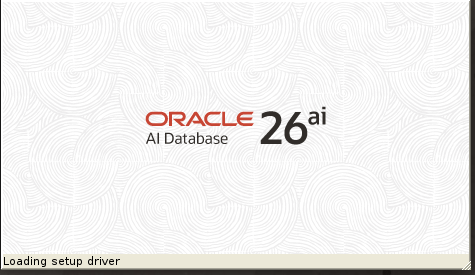
Start the Oracle Universal Installer (OUI) by issuing the following command.

[oracle@lxicborasgv01 ~]$
cd /u01/app/oracle/product/23.26.1/dbhome_1/
[oracle@lxicborasgv01 dbhome_1]$
./runInstaller
Launching Oracle AI Database Setup Wizard...
[root@lxicborasgv01 ~]#
/u01/app/oraInventory/orainstRoot.sh
Changing permissions of /u01/app/oraInventory.
Adding read,write permissions for group.
Removing read,write,execute permissions for world.

Changing groupname of /u01/app/oraInventory to oinstall.
The execution of the script is complete.
[root@lxicborasgv01 ~]#
[root@lxicborasgv01 ~]#
/u01/app/oracle/product/23.26.1/dbhome_1/root.sh
Performing root user operation.

The following environment variables are set as:
    ORACLE_OWNER= oracle
    ORACLE_HOME=  /u01/app/oracle/product/23.26.1/dbhome_1

Enter the full pathname of the local bin directory: [/usr/local/bin]:
   Copying dbhome to /usr/local/bin ...
   Copying oraenv to /usr/local/bin ...
   Copying coraenv to /usr/local/bin ...


Creating /etc/oratab file...
Entries will be added to the /etc/oratab file as needed by
Database Configuration Assistant when a database is created
Finished running generic part of root script.
Now product-specific root actions will be performed.
[root@lxicborasgv01 ~]#
6

Section 6

7. Verify Version 23.26.1.0.0 Caution: Your use of any information or materials on this website is entirely at your own risk. It is provided for educational purposes only. It has been tested internally, however, we do not guarantee that it will work for you. Ensure that you run it in your test environment before using. Caution: Your use of any information or materials on this website is entirely at your own risk. It is provided for educational purposes only. It has been tested internally, however, we do not guarantee that it will work for you. Ensure that you run it in your test environment before using.

Code/Command (click line numbers to comment):

1
2
3
4
5
6
7
8
9
10
11
12
13
14
15
[oracle@lxicborasgv01 ~]$
export ORACLE_HOME=/u01/app/oracle/product/23.26.1/dbhome_1
[oracle@lxicborasgv01 ~]$
export PATH=$ORACLE_HOME/bin:$PATH
[oracle@lxicborasgv01 ~]$ which sqlplus
/u01/app/oracle/product/23.26.1/dbhome_1/bin/sqlplus
[oracle@lxicborasgv01 ~]$
[oracle@lxicborasgv01 ~]$
sqlplus /nolog
SQL*Plus: Release 23.26.1.0.0 - Production on
Wed Jan 28 21:15:21 2026
Version 23.26.1.0.0
Copyright (c) 1982, 2025, Oracle.  All rights reserved.

SQL>

Comments (0)

Please to add comments

No comments yet. Be the first to comment!