DBA Hub

📋Steps in this guide1/1

Multitenant : Upgrade a PDB using Unplug/Plugin

This article describes the method for upgrading a PDB using the unplug/plugin method.
oracle 12cconfigurationintermediate
by OracleDba
15 views
1

Upgrade the PDB

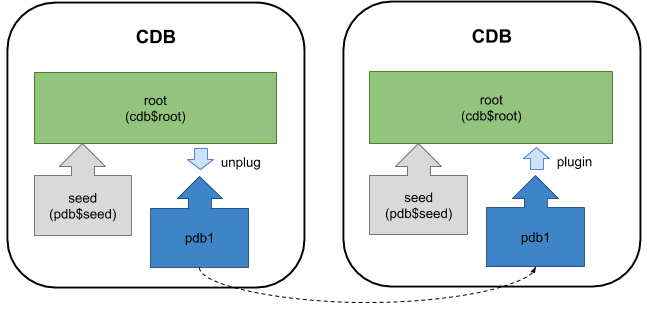
Using the Database Upgrade Assistant (DBUA) against a container database (CDB) will upgrade all the associated pluggable databases (PDBs) also. If you don't want to commit to upgrading all the PDBs in one step, you can upgrade them individually, or a subset of the PDBs, using the unplug/plugin method. This article describes the method for upgrading a PDB using the unplug/plugin method. It assumes you have the following container databases. - cdb1 (12.1.0.1) : Containing pdb1, the PDB we wish to upgrade. - cdb2 (12.1.0.2) : No PDBs, although that is not a prerequisite. I'm purposely going to ignore the upgrade to APEX, as this issue is discussed here . - Prepare the PDB for Upgrade - Upgrade the PDB Related articles. - Multitenant : All Articles The PDB must be prepared for upgrade, then unplugged from the source container databases. Switch to the "cdb1" instance in the "12.1.0.1" environment. From Oracle 12.2 onward the "preupgrd.sql" script has been removed and replaced by the "preupgrade.jar" file, which is run as follows. The "preupgrade.jar" file is shipped with the Oracle software, but you should really download the latest version from MOS 884522.1 . The resulting output is similar to the "preupgrd.sql" script, an example of which is shown below. Run the "preupgrd.sql" script from the "12.1.0.2" home, not the current 12.1.0.1 home! The output displays the generated scripts, including the "preupgrade.log" file. Both the log file and fixup scripts will be in the "$ORACLE_BASE/cfgtoollogs" directory or the "$ORACLE_HOME/cfgtoollogs" directory, depending on whether the $ORACLE_BASE has been specified or not. Run the fixup script and perform any manual tasks listed in the "preupgrade.log" file. These should be listed by the "preupgrade_fixups.sql" script also. Connect to the root container and unplug the PDB. You have a couple of options about how to deal with the source pluggable database. The PDB must be plugged into the destination CDB and upgraded. Switch to the "cdb2" instance in the "12.1.0.2" environment. Plugin the "pdb1" pluggable database into the "cdb2" container. Don't worry about the "Warning: PDB altered with errors." message at this point. Run the "catupgrd.sql" script against the PDB. Notice the use of the "-c" flag to specify an inclusion list. If you were upgrading multiple PDBs, you could list them in a space-separated list so they are all upgraded in a single step. Start the PDB and recompile any invalid objects. Run the "postupgrade_fixups.sql" script. Remember to perform any recommended manual steps. The PDB upgrade is now complete. For more information see: - Upgrading a Pluggable Database (PDB) - Multitenant : All Articles Hope this helps. Regards Tim...
Step 1

Comments (0)

Please to add comments

No comments yet. Be the first to comment!