DBA Hub

📋Steps in this guide1/1

Oracle Business Intelligence 12c (12.2.1.3.0) Silent Installation on Oracle Linux 6 and 7 (OL6 and OL7)

This article demonstrates how to perform a silent installation of Oracle Business Intelligence 12c (12.2.1.3.0) on Oracle Linux (OL6 or OL7) using Oracle Database 12cR1 (12.1) for the repository created by the Repository Creation Utility (RCU).

oracle 12cconfigurationintermediate
by OracleDba
11 views
1

Startup/Shutdown

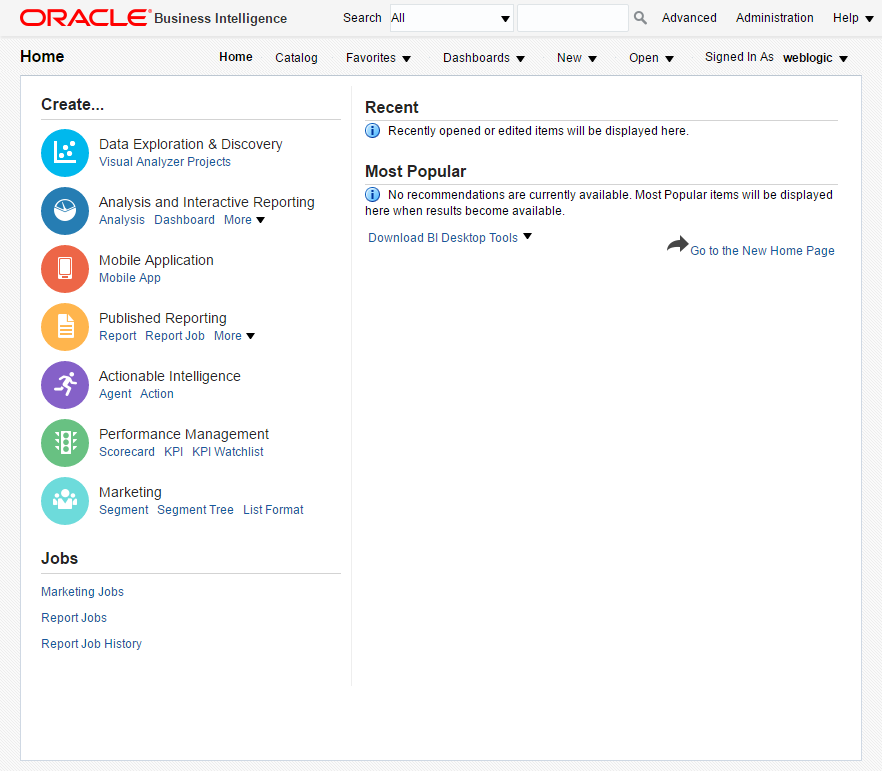
This article demonstrates how to perform a silent installation of Oracle Business Intelligence 12c (12.2.1.3.0) on Oracle Linux 6 and 7 (OL6 and OL7) using Oracle Database 12c Release 1 (12.1) for the repository created by the Repository Creation Utility (RCU). Thanks to Gianni Ceresa and Christian Berg for their advice. - Assumptions - Downloads - Additional OS Packages - Database Software Installation - Database Creation - Response Files - Prepare Response Files - WebLogic Installation - OBIEE Installation - Repository Configuration Utility (RCU) - Optional - OBIEE Configuration - OBIEE URLs - Startup/Shutdown Related articles. - Silent Installation and Configuration : OUI, DBCA, WebLogic To keep this article as brief as possible I'm going to make the following assumptions. I don't work with OBIEE, but I do have to provide basic support of some infrastructure that runs it (database and WebLogic). There is a lot of software to download before you can begin. I've purposely not included the latest critical updates. Install the following package for the Fusion Middleware prerequisites to be met. Many of them will already be present because of the database prerequisites. Assuming you have completed all the OS prerequisites for a database installation, you can install the database software as follows. Unzip the software. Install the database software in silent mode. When prompted, run the root scripts. Start the listener. Create the database using the Database Creation Assistant (DBCA) in silent mode. Set minimum parameter levels and make sure the pluggable database starts when the instance starts. The following response files are necessary for the silent installation of OBIEE shown below. The values we are going to amend during the build are shown in bold. The "obiee_rcu_passwordfile.txt" and "bi_config_no_rcu.rsp" files are only necessary if you plan to run the Repository Config Utility (RCU) as a separate step, rather than doing it as part of the OBIEE configuration. Check out the response files and installation script provided by Gianni Ceresa ( here ). We have used generic response files containing placeholders for build-specific parameters. Here we will replace the placeholders with the values for our build. If you want to adjust them later, remember to switch back to the original response files before running the commands again. Set the required environment variables. Install JDK8. Create the middleware location. Unzip the WebLogic software. Install WebLogic in silent mode. Unzip the software. Install the OBIEE software in silent mode. The OBIEE configuration can automatically run the RCU for you, so you don't need to do this! If for some reason you want to run the RCU as a separate step you can use the following command to run the RCU in silent mode. Remember, if you do this you will need to use the "bi_config_no_rcu.rsp" response file for the OBIEE configuration. The following command runs the OBIEE configuration in silent mode. This response file includes the automatic RCU configuration. If you have already performed the RCU configuration, use the alternate response file. Once configured, the main URLs you will need are as follows. - WebLogic Console : http://ol7-obiee.localdomain:9500/console - WebLogic Enterprise Manager: http://ol7-obiee.localdomain:9500/em - Analytics: http://ol7-obiee.localdomain:9502/analytics The database is started and stopped in the normal way. Make sure you have the environment set correctly. With then environment in place we can start, check the status and stop OBIEE using the following commands. For more information see: - Oracle Fusion Middleware Documentation - Oracle Business Intelligence Enterprise Edition 12.2.1.3.0 - Oracle Fusion Middleware System Requirements and Specifications - Silent Installation and Configuration : OUI, DBCA, WebLogic Hope this helps. Regards Tim...
Step 1

Comments (0)

Please to add comments

No comments yet. Be the first to comment!