DBA Hub

📋Steps in this guide1/9

Oracle Forms and Reports 12c (12.2.1) Installation on Oracle Linux 6 and 7

An overview of the installation of Oracle Forms and Reports 12c on Oracle Linux 6 and 7.
oracle 12cconfigurationintermediate
by OracleDba
11 views
1

Installation

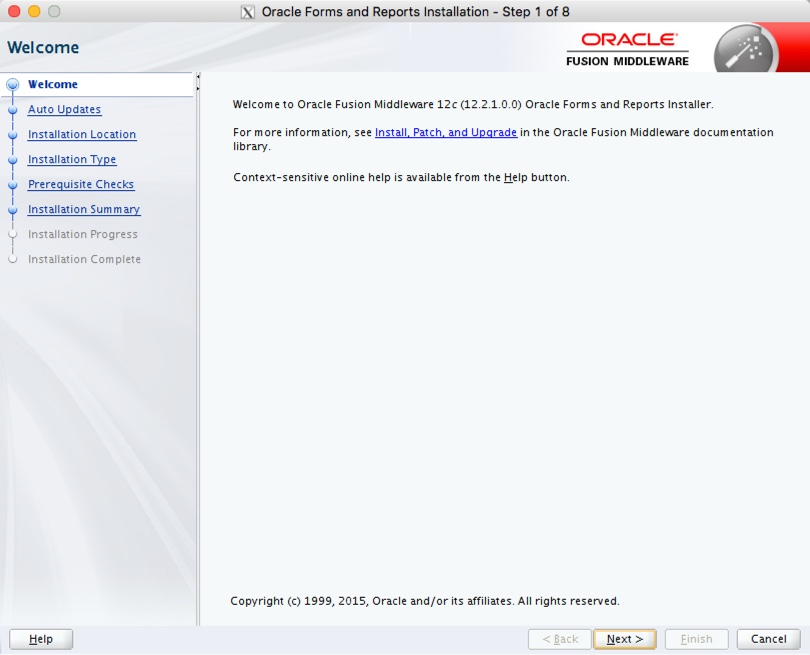
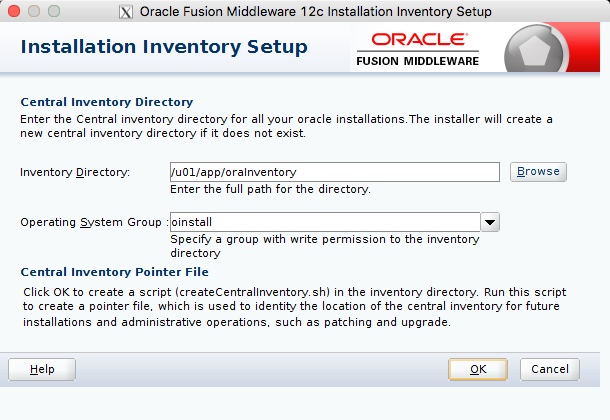
This article describes the default installation of Oracle Forms and Reports on Oracle Linux 6 and 7. The article assumes there is already an Oracle WebLogic Server 12cR1 (12.2.1) installation present on the machine. - Software - Prerequisites - Installation - Post-Installation Related articles. Download the Forms and Reports 12c (12.2.1) software from Oracle Technology Network. In addition to any prerequisites performed during the WebLogic 12c installation, the following packages should be installed as the "root" user, if they are not already present. Turning off the firewall and setting SELinux to Permissive reduces the chances of problems during the installation. You can see how to do this here . The images were originally captured from a 12.2.1.0 installation. The process is the same for 12.2.1.2. The following actions should be performed as the user that owns the WebLogic installation. In my case, that user is called "oracle". Unzipping the "fmw_12.2.1.2.0_fr_linux64_Disk1_1of1.zip" file produces an executable ".bin" file, which starts the installer. If this is is the first installation on the machine you will need to specify an inventory location. Enter the inventory location, like "/u01/app/oraInventory" and click the "OK" button. Click the "Next" button on the Welcome screen.
Step 1
2

Installation

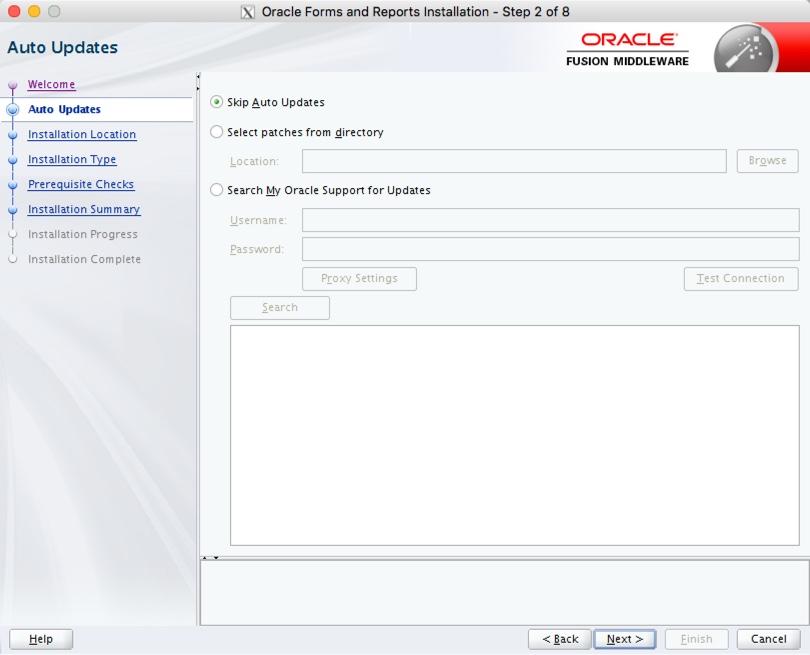
Select the "Skip Auto Updates" radio group, then click the "Next" button.
Step 2
3

Installation

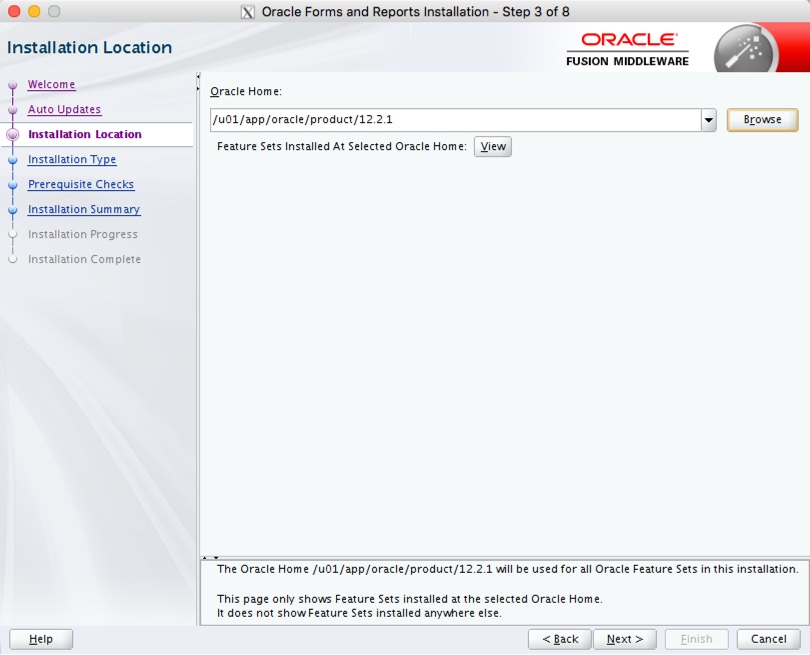
Enter the path for a previously installed 12.2.1 middleware home, then click the "Next" button.
Step 3
4

Installation

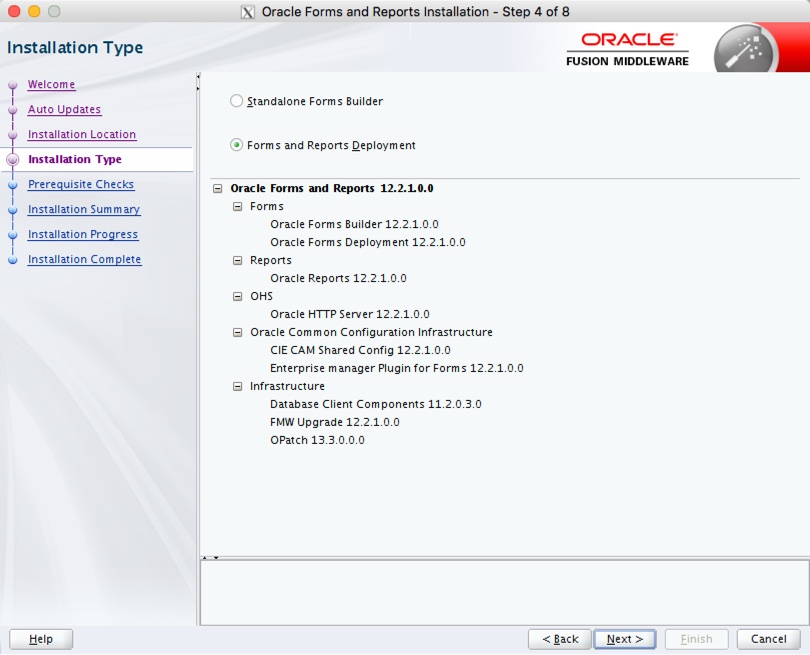
Select the "Forms and Reports Deployment" option, then click the "Next" button.
Step 4
5

Installation

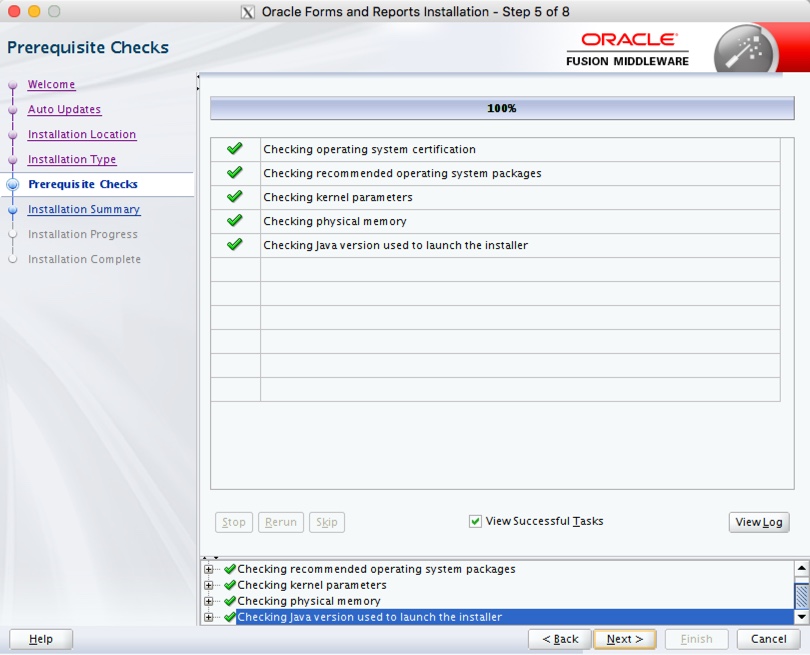
If the prerequisites were successful, click the "Next" button.
Step 5
6

Installation

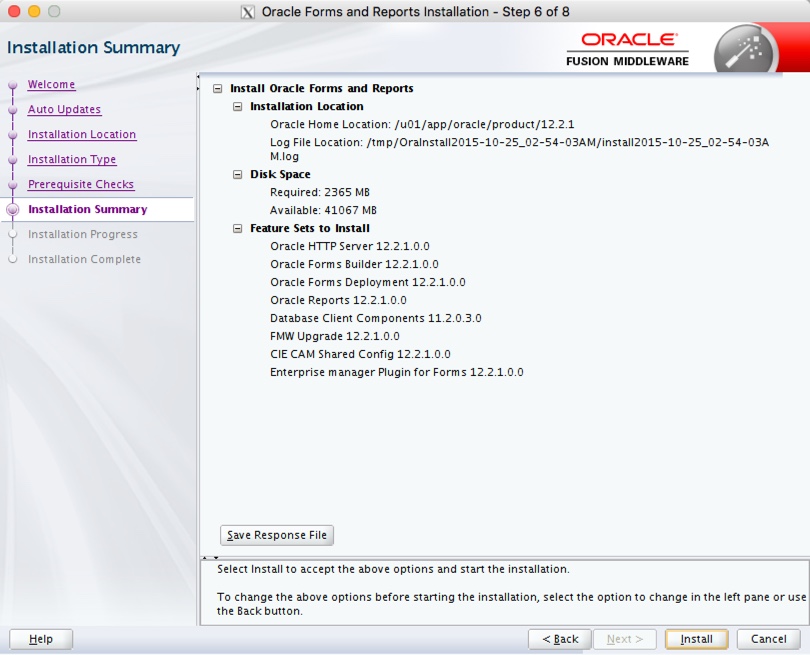
If you are happy with the installation summary, click the "Install" button.
Step 6
7

Installation

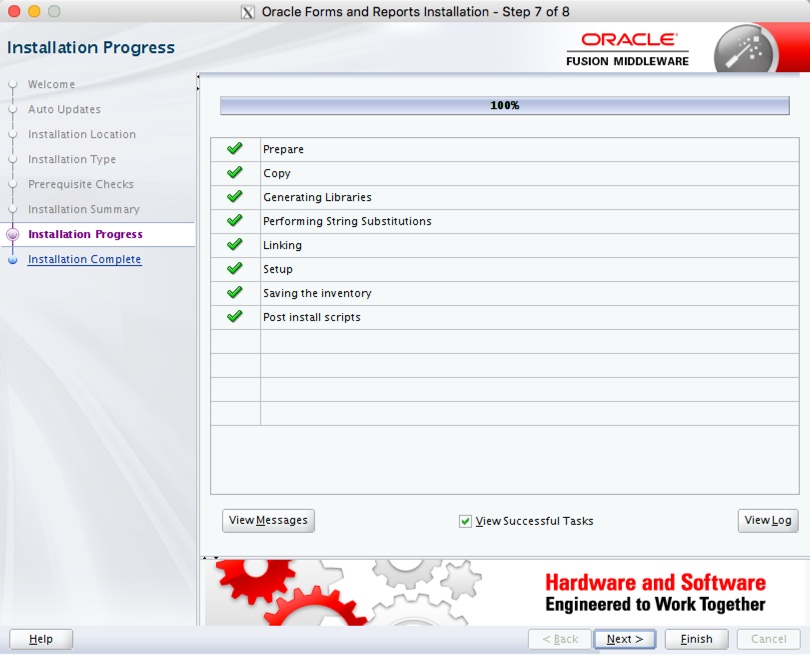
Once the installation is complete, click the "Next" button.
Step 7
8

Installation

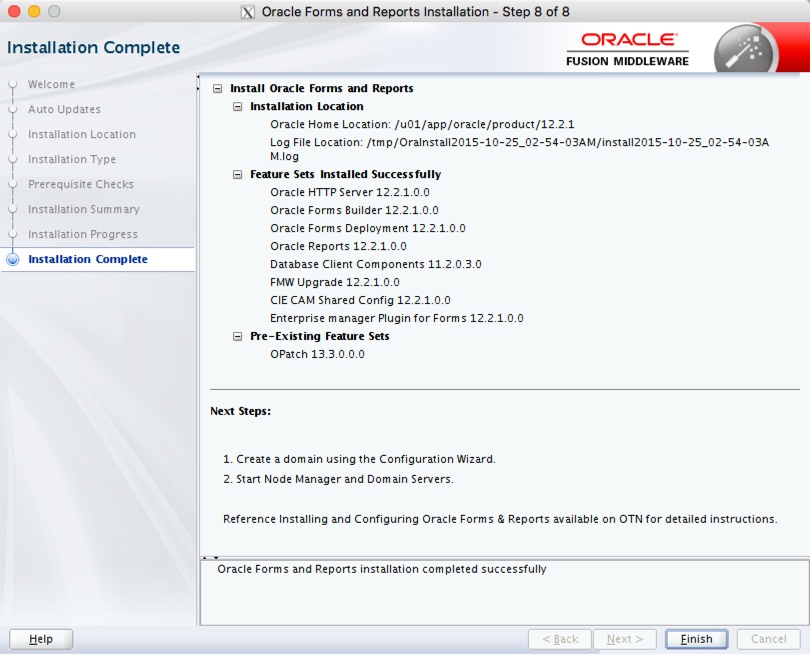
On the final screen, click the "Finish" button.
Step 8
9

Post-Installation

Your installation is now complete. Unlike previous versions, where the Forms and Reports Services installation automatically created the domain, in 12c you need to do this manually performing the following steps. - Repository Configuration Utility (RCU) - Create the Forms and Reports Services Domain For more information see: Hope this helps. Regards Tim...
Step 9

Comments (0)

Please to add comments

No comments yet. Be the first to comment!