DBA Hub

📋Steps in this guide1/9

Oracle HTTP Server (OHS) 12cR2 (12.2.1) Installation on Oracle Linux 6 and 7

This article demonstrates how to perform an installation of Oracle HTTP Server (OHS) on Oracle Linux.
oracle 12cconfigurationintermediate
by OracleDba
12 views
1

Create OHS Instance

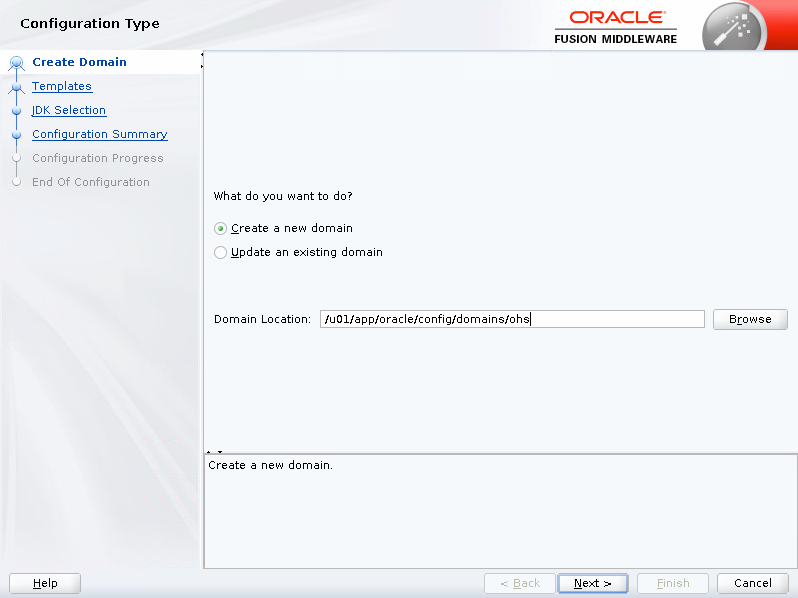
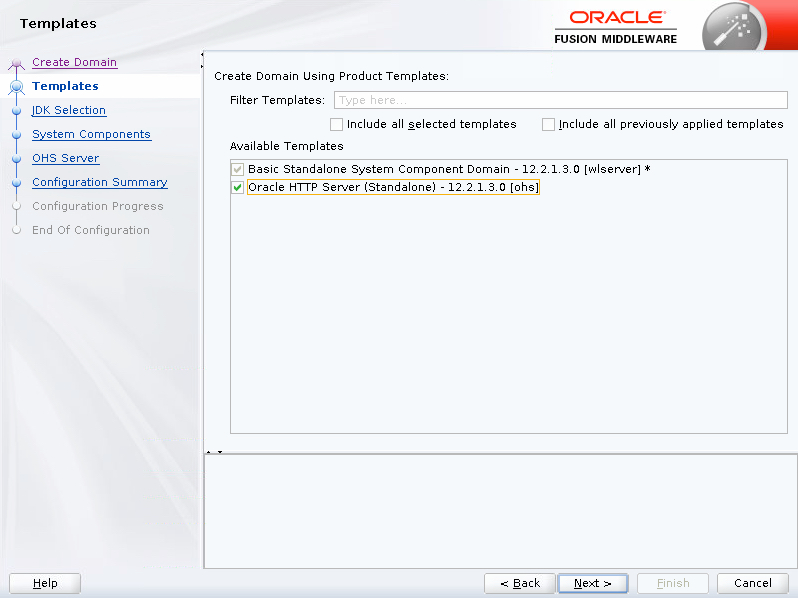
This articles demonstrates how to perform an installation of Oracle HTTP Server (OHS) 12c on Oracle Linux. - Software - Additional OS Packages - Setup - Install JDK - Create Response File - OHS Silent Installation - Patching OHS - Create OHS Instance - First Start - Start/Stop OHS Instance - Important Files Related articles. - Silent Installation and Configuration Download the WebLogic Server and Java SE software. The examples in this article use the following. The rest of this article assumes the software is present in the "/u01/software" directory. Install the following package for the Fusion Middleware prerequisites to be met. Many of them will already be present. The following actions should be performed by the "root" user. Make sure the "/etc/hosts" file contains correct entries for both the "localhost" and real host names. Create a new group and user. Create the directories in which the Oracle software will be installed. Run the following commands as the "oracle" user to set your environment and append them to the "/home/oracle/.bash_profile" file. Create start and stop scripts using the following commands. Installing the JDK is simply a matter of extracting it from the tarball. The OHS response file is similar to those for WebLogic. The response file below should be saved as "/u01/software/webtier.rsp". It is used to install a Standalone HTTP Server and contains a place-holder for the , which we will set as part of the installation. You also need to specify an Oracle inventory location. Create a file called "/u01/software/oraInst.loc" with the following contents. The following command shows how to initiate the installation in silent mode. Applying patches to OHS 12c is done using the OPatch utility. Make sure any processes running under installation are stopped before applying a patch. That's not a problem here as this is a clean installation. Download the latest OHS updates from Oracle Support and put them into the "/u01/software" directory with the other software. For example. - Updates : p27149535_122130_Linux-x86-64.zip Set the existing OPatch location in your path. Unzip the patch and change to the resulting directory, then apply the patch. An OHS instance is created using the configuration wizard, which is started using the following command. Enter the domain location "/u01/app/oracle/config/domains/ohs" and click the "Next" button. Select the "Oracle HTTP Server (Standalone) - 12.2.1.3.0 [ohs]" template and click the "Next" button.
Step 1
2

Create OHS Instance

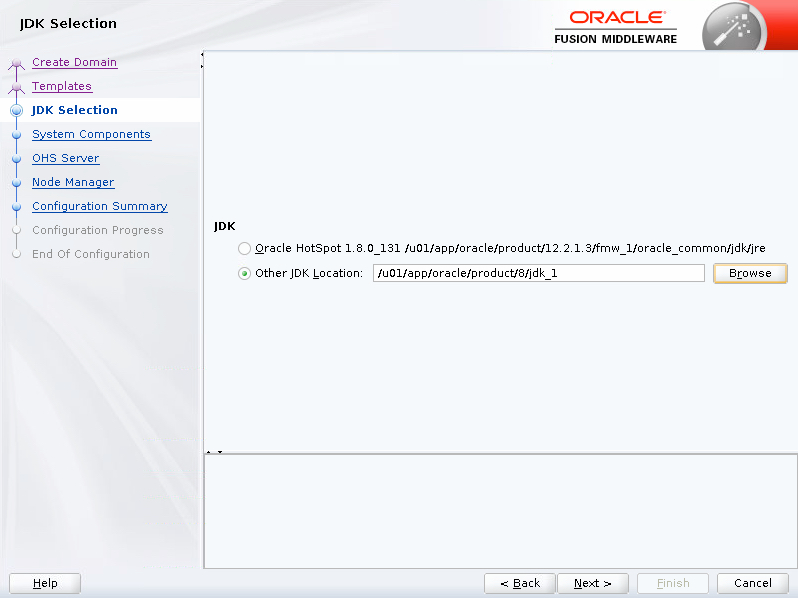
Enter the JDK location "/u01/app/oracle/product/8/jdk_1" template and click the "Next" button.
Step 2
3

Create OHS Instance

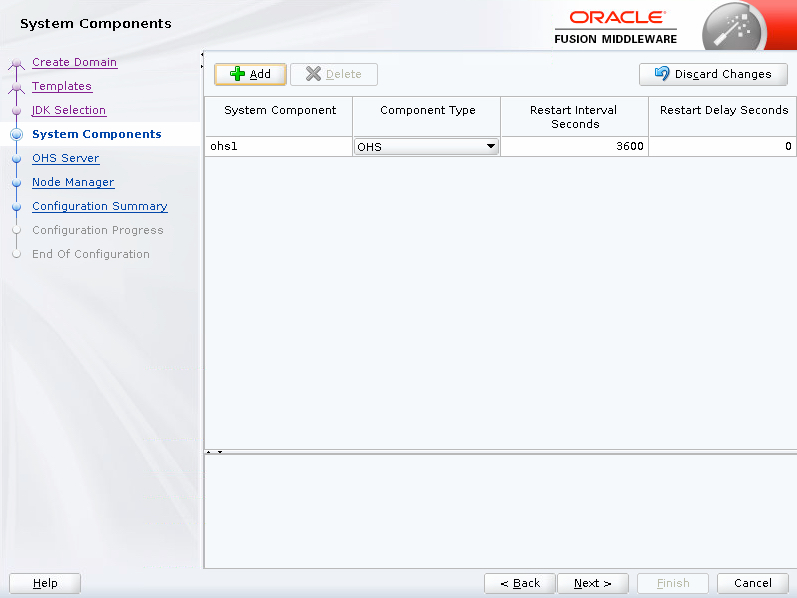
Click the "Next" button.
Step 3
4

Create OHS Instance

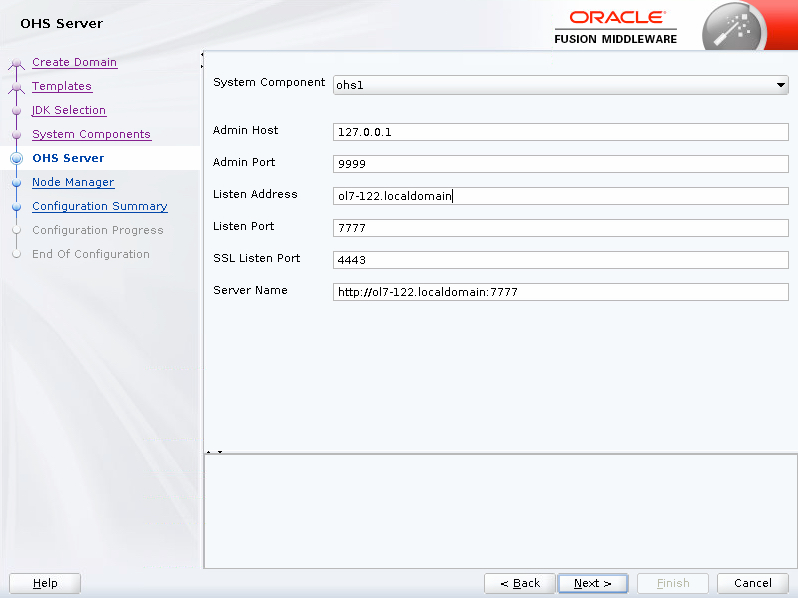
Enter the OHS Server details and click the "Next" button.
Step 4
5

Create OHS Instance

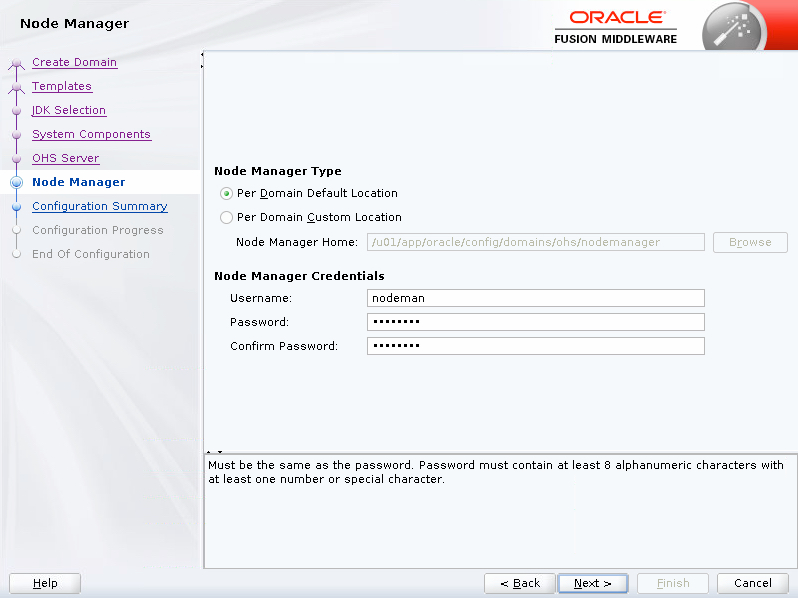
Enter the node manager details and click the "Next" button.
Step 5
6

Create OHS Instance

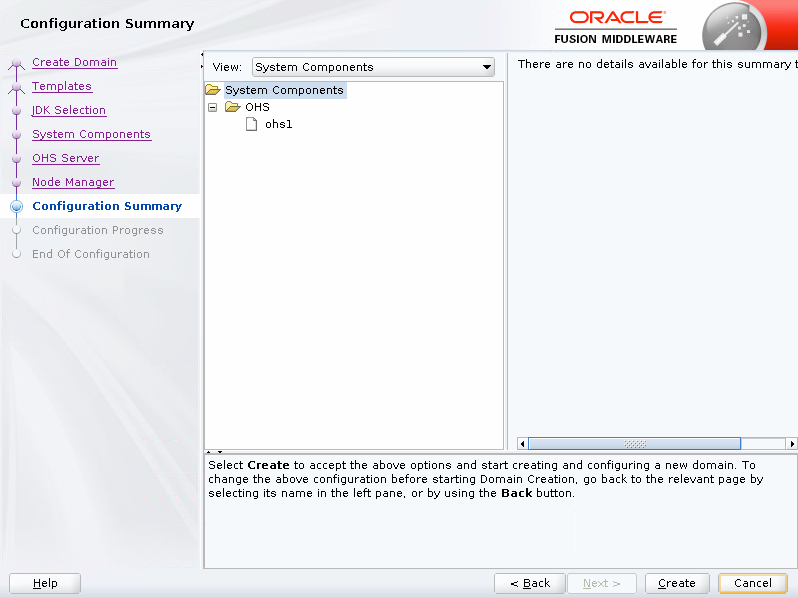
Click the "Create" button.
Step 6
7

Create OHS Instance

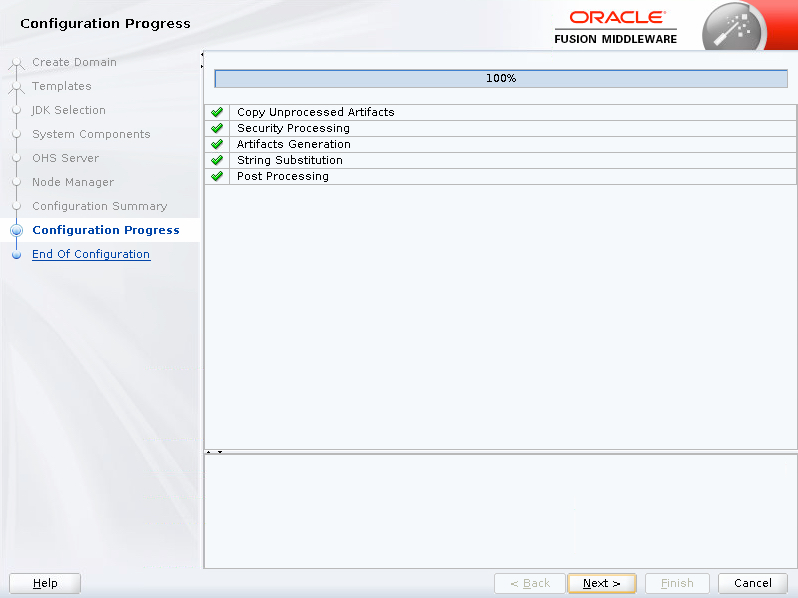
Wait for the configuration to complete and click the "Next" button.
Step 7
8

Create OHS Instance

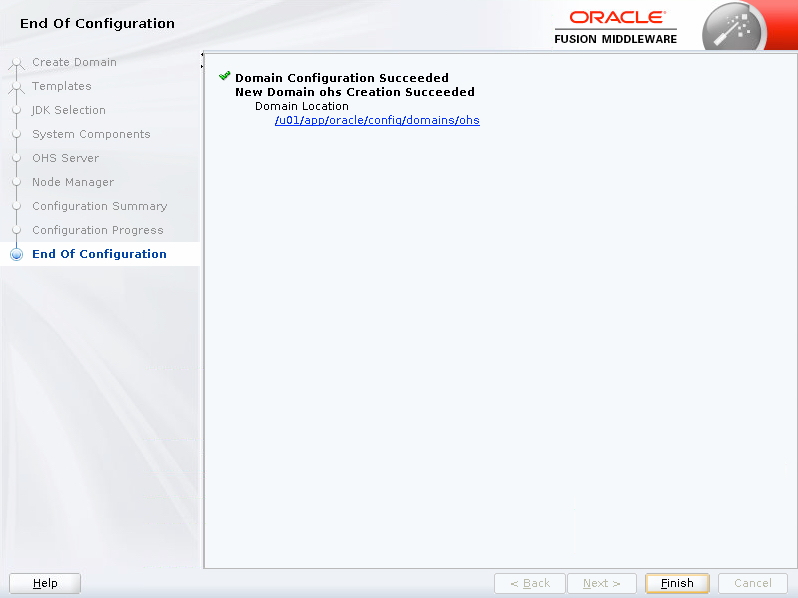
Click the "Finish" button.
Step 8
9

Important Files

Make sure the environment is set and start the node manager. The first time we start the OHS instance we use the "storeUserConfig" option, which will save the credentials, so we never need to enter them again. Enter the password when prompted. The credentials are kept in the "~/.wlst/nm-cfg-ohs.props" and "~/.wlst/nm-key-ohs.props" files. Start and stop scripts for the node manager and OHS instance are created under the domain home. The typical start and stop sequences are shown below. It should now be possible to start and stop the OHS instance with the scripts created earlier in the setup section. There are a number of important config files, but the ones you are most likely to visit are the following. You can diagnose issues by checking the log files under the "$DOMAIN_HOME/servers/ohs1/logs/" directory. For more information see: - Fusion Middleware Installing and Configuring Oracle HTTP Server - Silent Installation and Configuration Hope this helps. Regards Tim...
Step 9

Comments (0)

Please to add comments

No comments yet. Be the first to comment!