DBA Hub

📋Steps in this guide1/1

Oracle REST Data Services (ORDS) : GraphQL

This article demonstrates the GraphQL functionality built into Oracle REST Data Services (ORDS) from version 23.3 onward.
oracle miscconfigurationintermediate
by OracleDba
16 views
1

Joins

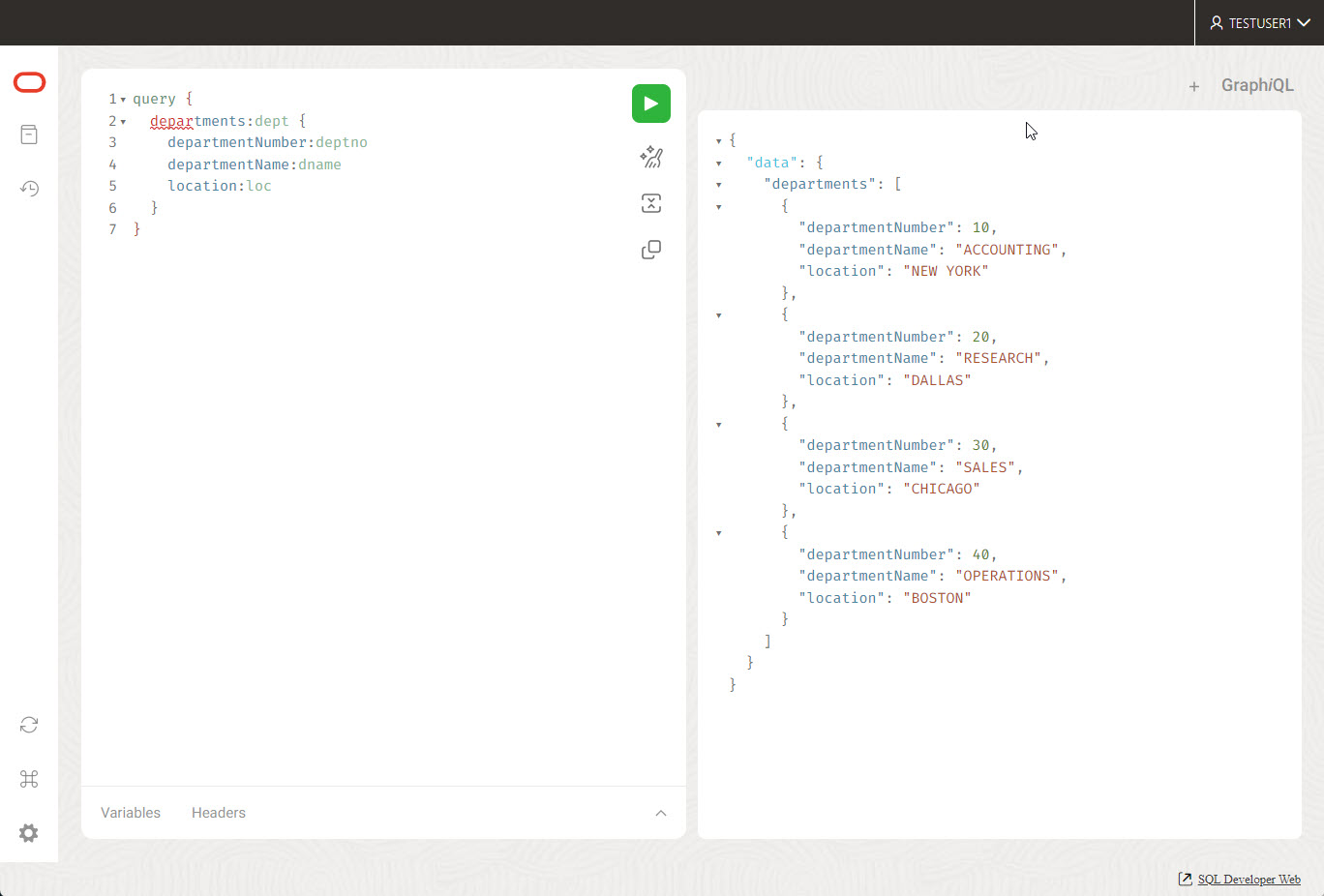
This article demonstrates the GraphQL functionality built into Oracle REST Data Services (ORDS) from version 23.3 onward. - Prerequisites - Setup - Using GraphQL Basic Queries WHERE Clause Sorts Pagination Joins - Basic Queries WHERE Clause Sorts Pagination Joins - WHERE Clause Sorts Pagination Joins - Sorts Pagination Joins - Pagination Joins - Joins - Basic Queries WHERE Clause Sorts Pagination Joins - WHERE Clause Sorts Pagination Joins - Sorts Pagination Joins - Pagination Joins - Joins Related articles. - Oracle REST Data Services (ORDS) : All Articles - GraphQL in Oracle Database 23ai This post assumes you have a working ORDS installation at version 23.3 or higher. It also assumes you are using GraalVm as your Java runtime. The JavaScript plugin must be enabled for GraphQL to work. It can be installed using the following command. Assuming this is all in place, and ORDS has been restarted since the JavaScript support was added, you should be OK to continue. We create a test user and connect to it. We create and populate some tables to work with. We enable ORDS for the schema. We give it an alias of "hr", so as not to expose the schema name, which would make the URL a little ugly. We REST enable the two tables. SQL Developer Web gives us a GraphQL editor screen, which is useful for constructing our requests. We get to the screen by adding "_/graphiql/" to our ORDS URL pointing to our ORDS enabled schema. In my case this would be the following URL. Once there we can try a simple query, such as the following. Notice we have aliased the table and columns to make their names a little more clear. We can see what this looks like in the editor here. We can call the service directly from the operating system using curl. The "-k" flag tells curl to trust our self-signed certificate. The GraphQL query is similar to what we issued in the editor, but we've made it into a typical JSON object, with the key of "query" and the value as the request. Cramming the input data into a single line can be a little confusing when testing, so it may be preferable to put the data into a file, so it can be structured more neatly. In the following example we put the payload into a file, and pass it to curl as a POST. We can make a similar request for employee information. In the editor it would look like this. From the command line we do the following. In this example we add a clause to limit the data accessed. From the command line we do the following. In this example we sort the data by a specific column. From the command line we do the following. In this example we sort the data by a specific column and bring back the first 3 rows. From the command line we do the following. We can get the second page of three by using an offset. From the command line we do the following. In this example we use a join to get the department information, along with the employees in the department. Notice we identify the join column using . Unfortunately we can't alias this like we can with the columns, which makes the output a little ugly. From the command line we do the following. For more information see: - GraphQL in Oracle REST Data Services - Oracle REST Data Services (ORDS) : All Articles - GraphQL in Oracle Database 23ai Hope this helps. Regards Tim...
Step 1

Comments (0)

Please to add comments

No comments yet. Be the first to comment!