DBA Hub

📋Steps in this guide1/4

Oracle REST Data Services (ORDS) : Open API 2.0 and 3.0 (Swagger) Support

From version 17.4 onward, Oracle REST Data Services (ORDS) exposes the metadata of web services in Open API 2.0 format, making it easy to document and generate calling code for REST APIs using Swagger.

oracle miscconfigurationintermediate
by OracleDba
12 views
1

Example 1 : Manually Created RESTful Service

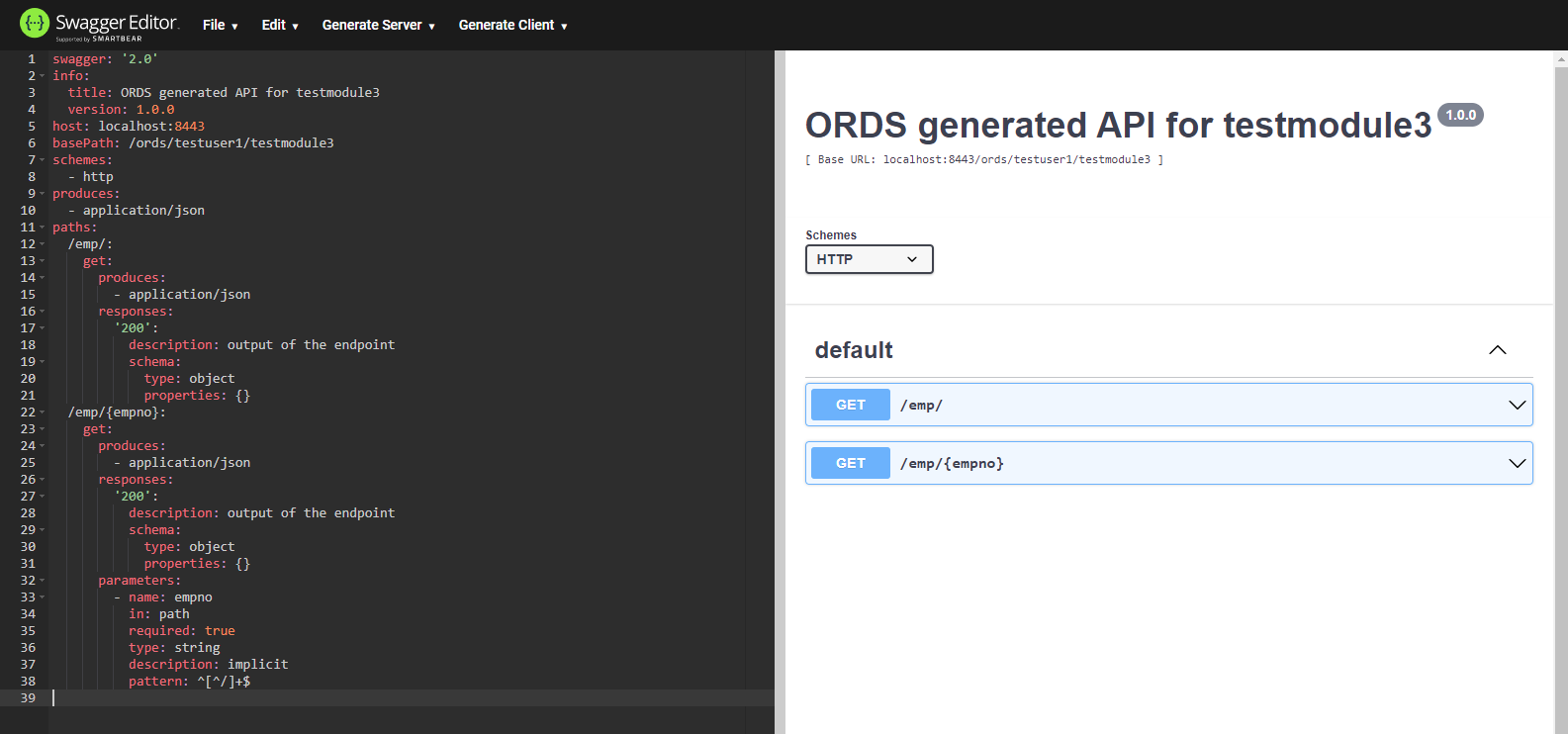
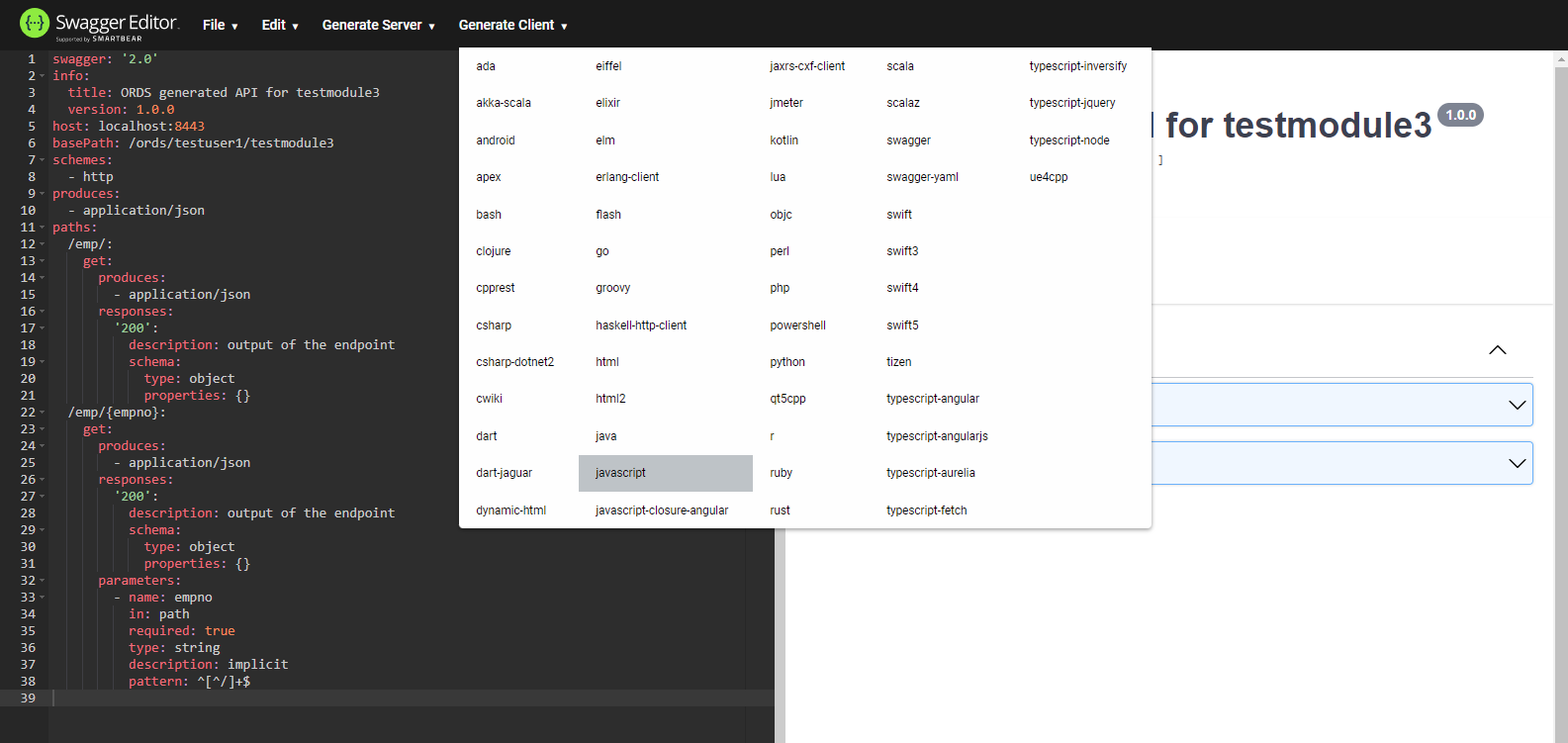
The Open API Initiative (OAI) provides an open specification, originally know as the Swagger specification, for describing and documenting REST APIs. From version 17.4 onward, Oracle REST Data Services (ORDS) exposes the metadata of specific web services in Open API 2.0 format, making it easy to document and generate calling code for REST APIs using Swagger . From version 22.1, ORDS also supports Open API 3.0 format, and from version 22.2 the default format is Open API 3.0. - Setup - Metadata Catalog - Example 1 : Manually Created RESTful Service - Example 2 : AutoREST Service - Open API 3.0 Related articles. - Oracle REST Data Services (ORDS) : All Articles - Oracle REST Data Services (ORDS) : Create Basic RESTful Web Services Using PL/SQL - Oracle REST Data Services (ORDS) : AutoREST The examples in this article are based the following. - The database user and table defined here . - The manually created web service defined here . - The AutoREST web service defined here . Using ORDS 17.4 onward the top-level metadata-catalog output includes both the original metadata-catalog and open-api-catalog URLs of all relevant objects in an ORDS enabled schema. The metadata-catalog output for a specific object is presented in the original format, while the open-api-catalog output is in Open API (Swagger) 2.0 format, which makes it really simple to generate documentation and an example of the calling code in several programming languages. From ORDS version 22.2 the default format is Open API 3.0. An overview of the contents of an ORDS enabled schema can be displayed in a browser (GET HTTP method) using the following type of URL. The output is a JSON document. The open-api-catalog output for a specific service is displayed in the Open API 2.0 format. We can use a browser, REST client or the command to check the metadata for the module using the object alias associated with the module, also in this case. Here is an example using the command. If we go to the online Swagger Editor , we can paste in the output JSON text, which converts to YAML and displays the available endpoints. The "Generate Client" menu at the top of the screen allows us to create client code to call this service from a number of different languages.
Step 1
2

Example 2 : AutoREST Service

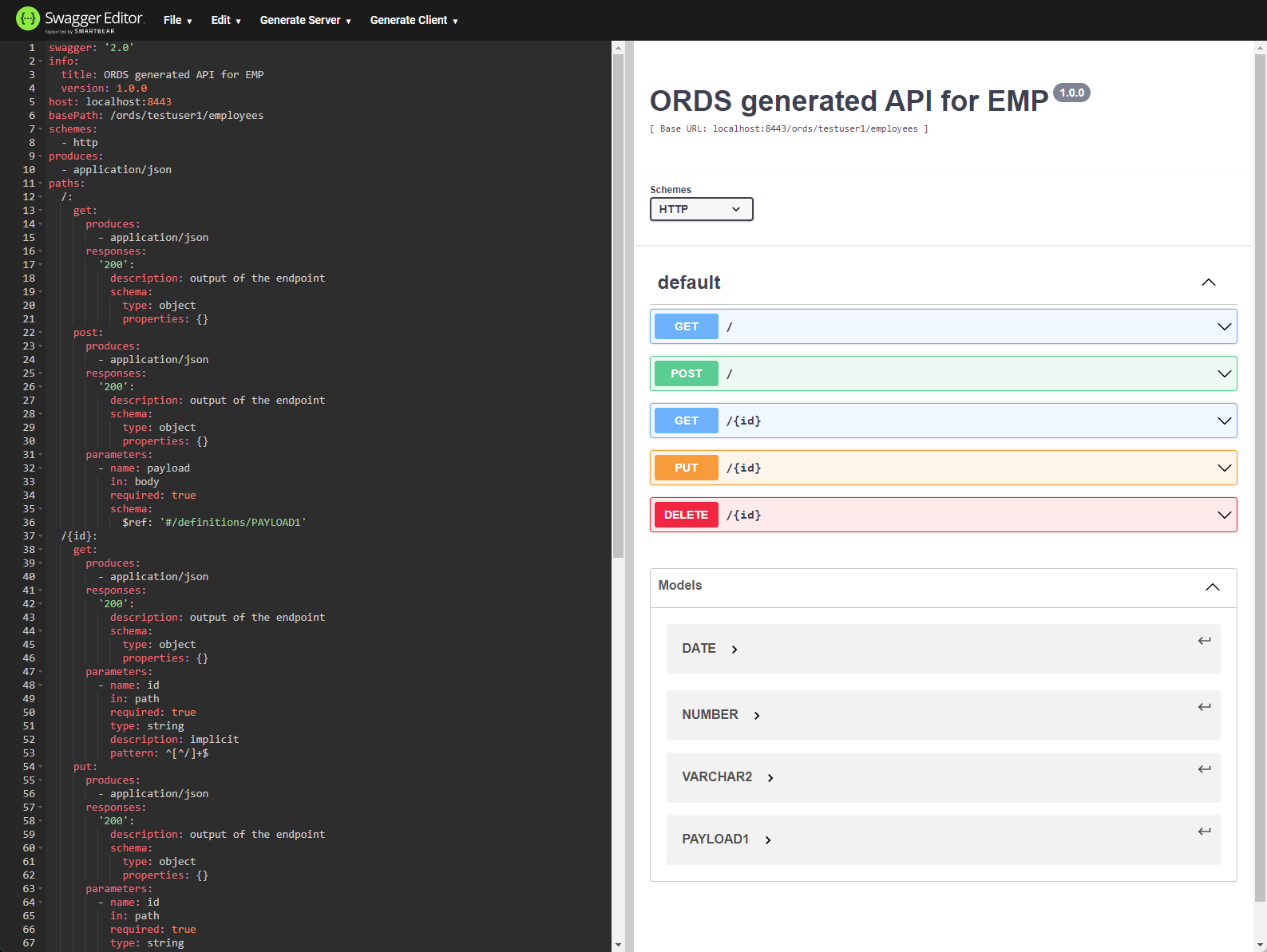
The sample code is downloaded as a zip file. We can display the metadata for the table , which is AutoREST enabled, using the following command. After pasting the output into the Swagger Editor we see a larger number of endpoints, as well as a payload definition for those endpoints that require it.
Step 2
3

Open API 3.0

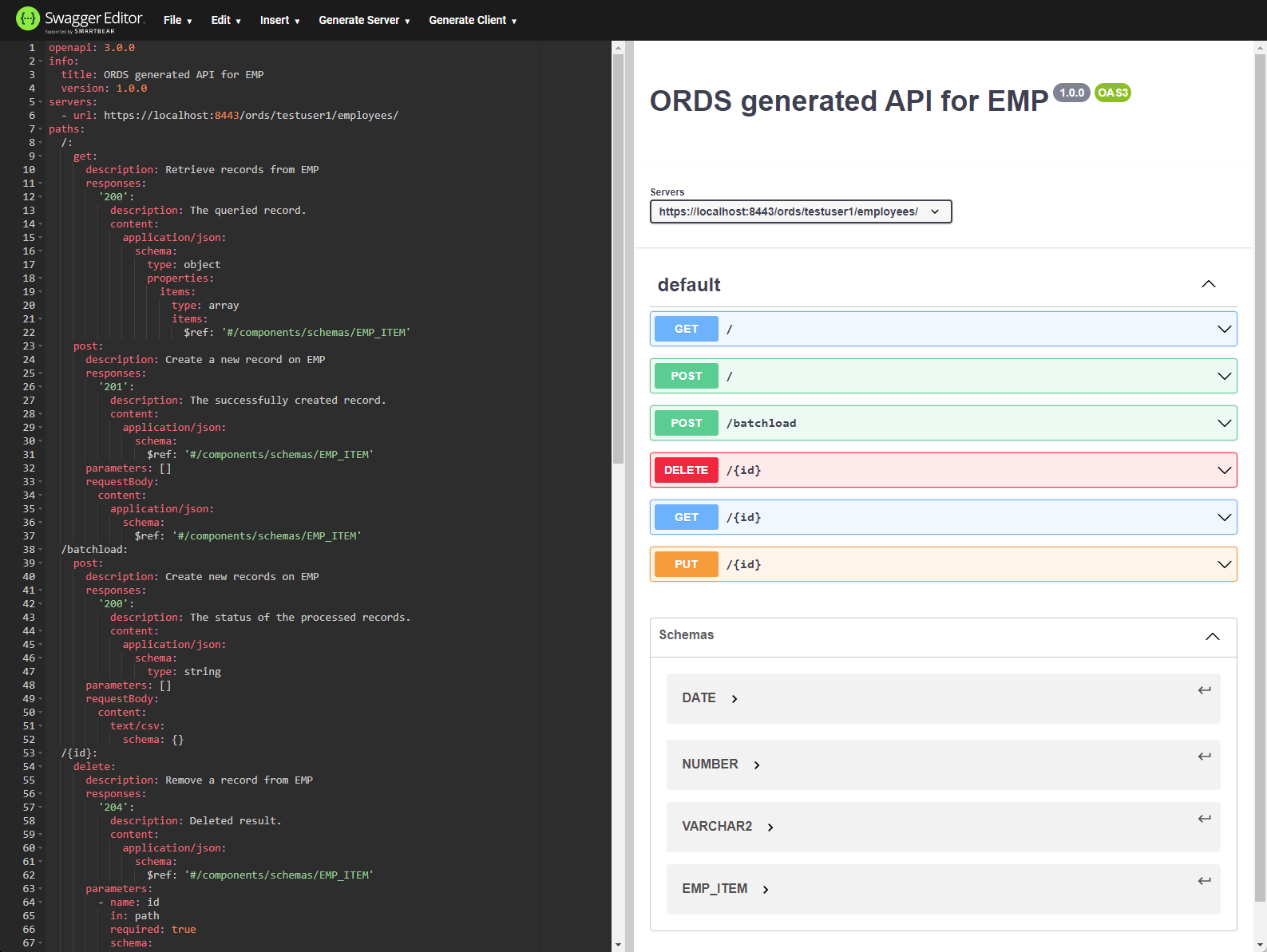
As before, sample calling code for this service can be generated from the "Generate Client" menu. From version 22.1 ORDS can also display metadata in Open API 3.0 format. From ORDS version 22.2 the default format is Open API 3.0, so you don't need to add the extra parameters. We make the same type of call as before, but add some extra header information. After pasting the output into the Swagger Editor we see the endpoints and a payload definition.
Step 3
4

Open API 3.0

For more information see: - Open API Initiative (OAI) - Swagger Editor - Oracle REST Data Services (ORDS) : All Articles - Oracle REST Data Services (ORDS) : Create Basic RESTful Web Services Using PL/SQL - Oracle REST Data Services (ORDS) : AutoREST Hope this helps. Regards Tim...
Step 4

Comments (0)

Please to add comments

No comments yet. Be the first to comment!