DBA Hub

📋Steps in this guide1/9

Patching : Find the Required Patches for Oracle Products

This post describes how to identify the required patches for your Oracle products.
oracle miscconfigurationintermediate
by OracleDba
13 views
1

Where to Start

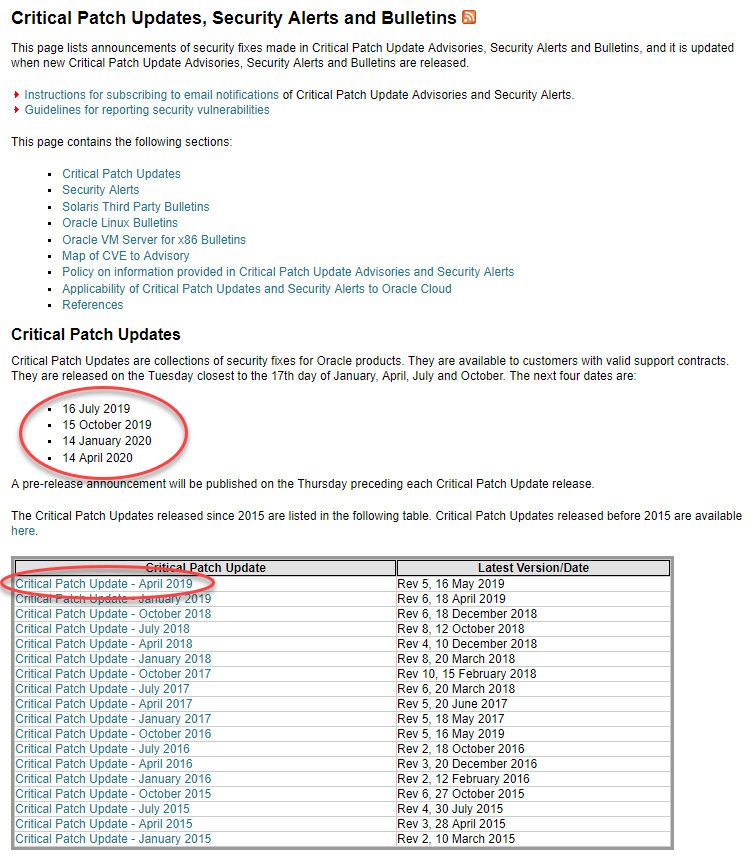
This post describes how to identify the required patches for your Oracle products. - Database Quick-Link - Where to Start - Database Patches - Fusion Middleware (FMW) Patches - General Approach If you only care about the database patches, this MOS note steps you through really easily. - Assistant: Download Reference for Oracle Database/GI Update, Revision, PSU, SPU(CPU), Bundle Patches, Patchsets and Base Releases (Doc ID 2118136.2) I usually pick the "OJVM Update/PSU/Bundle Patches" option to start. The security advisories are always published on this page. This should always be your starting point. - Critical Patch Updates, Security Alerts and Bulletins There is a link on the bottom-right of the homepage of this website called CPUs/PSUs/BPs/RUs/RURs that points to this page. When you look at the security advisory page you will notice the security patches are released on a quarterly basis. There can be emergency patches between these advisories, but you should at least aim to keep up to date with these patches. Click on the latest Critical Patch Update link. At the time of writing it was "Critical Patch Update - April 2019". Click on the product, or product family, under the "Patch Availability Document" column. In my company most of the patches I care about are under the "Database", "Fusion Middleware" and "Enterprise Manager" product families.
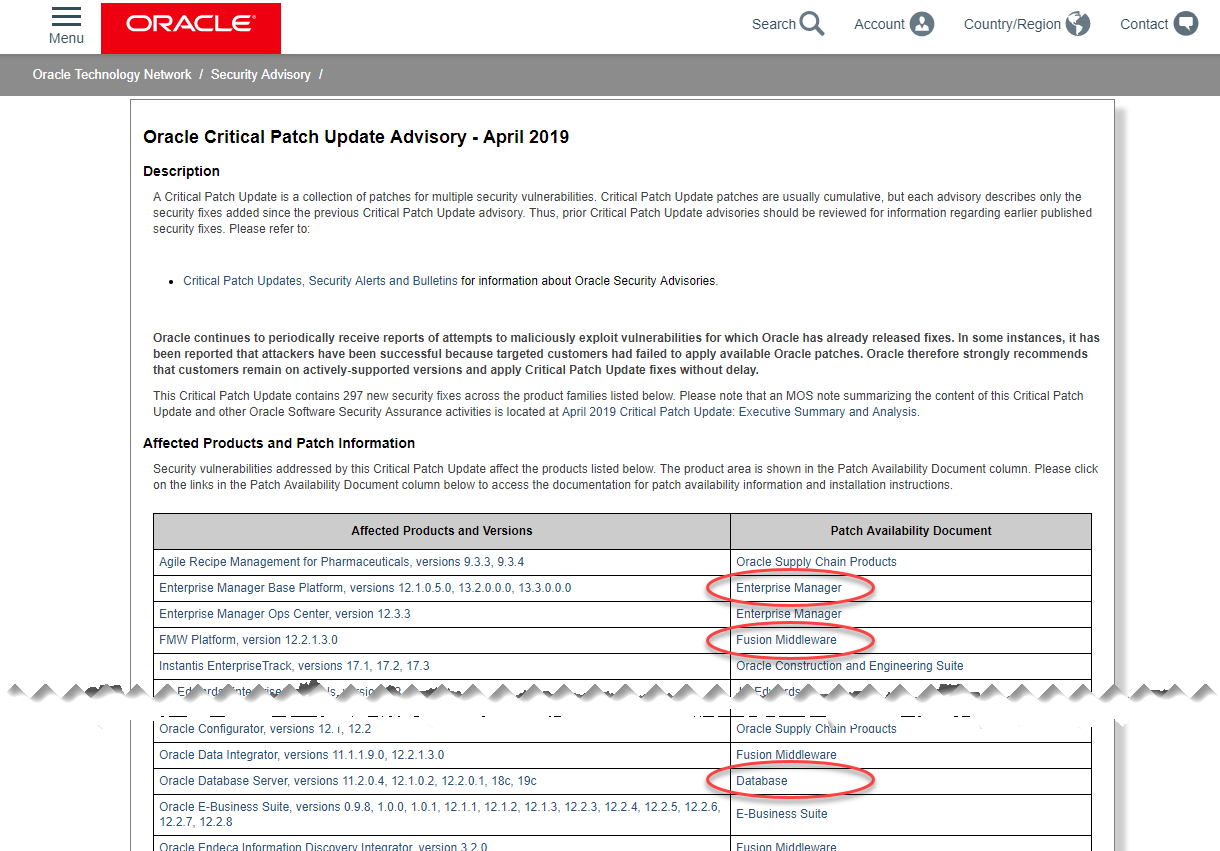
Step 1
2

Where to Start

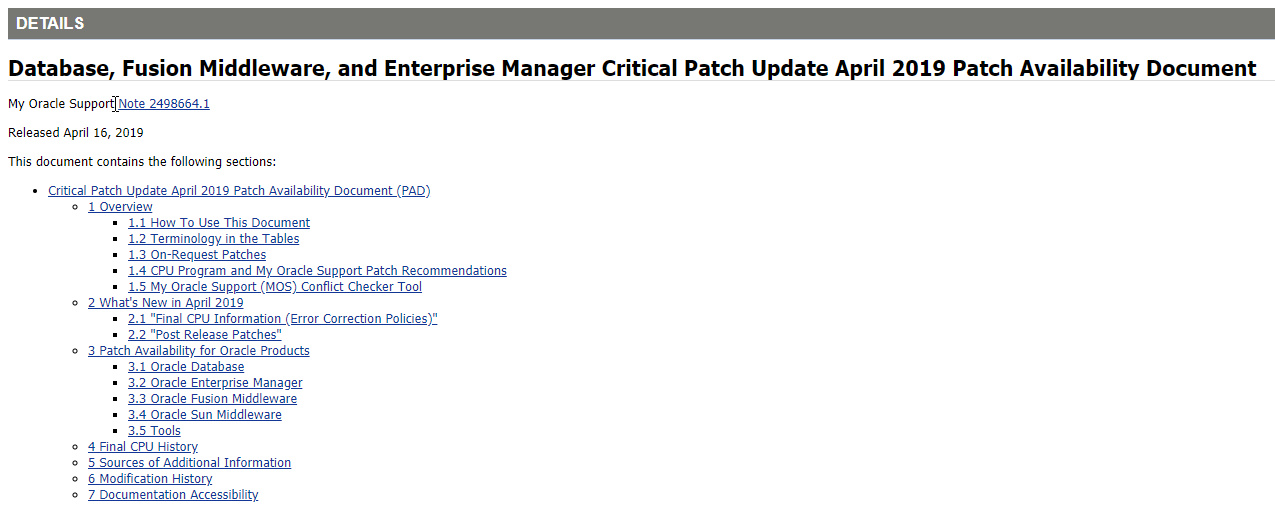
These three product families forward you to the same My Oracle Support (MOS) page. As an example, click the "Database" link on this page.
Step 2
3

Database Patches

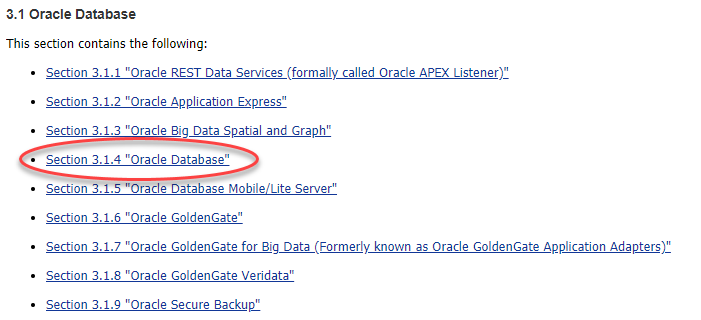
This will be referred to as the product family page below. Click on the "Database" link on the product family page shown above. We are presented with a breakdown of sections related to the database. In this case we only care about the core database patches, so click the "Oracle Database" link again.
Step 3
4

Database Patches

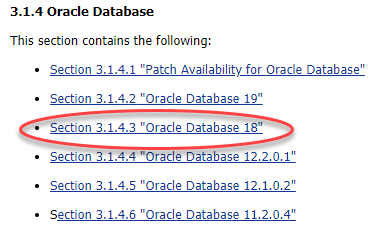
Click the link to the database version you are interested in. In this case we'll pick the "Oracle Database 18" link.
Step 4
5

Database Patches

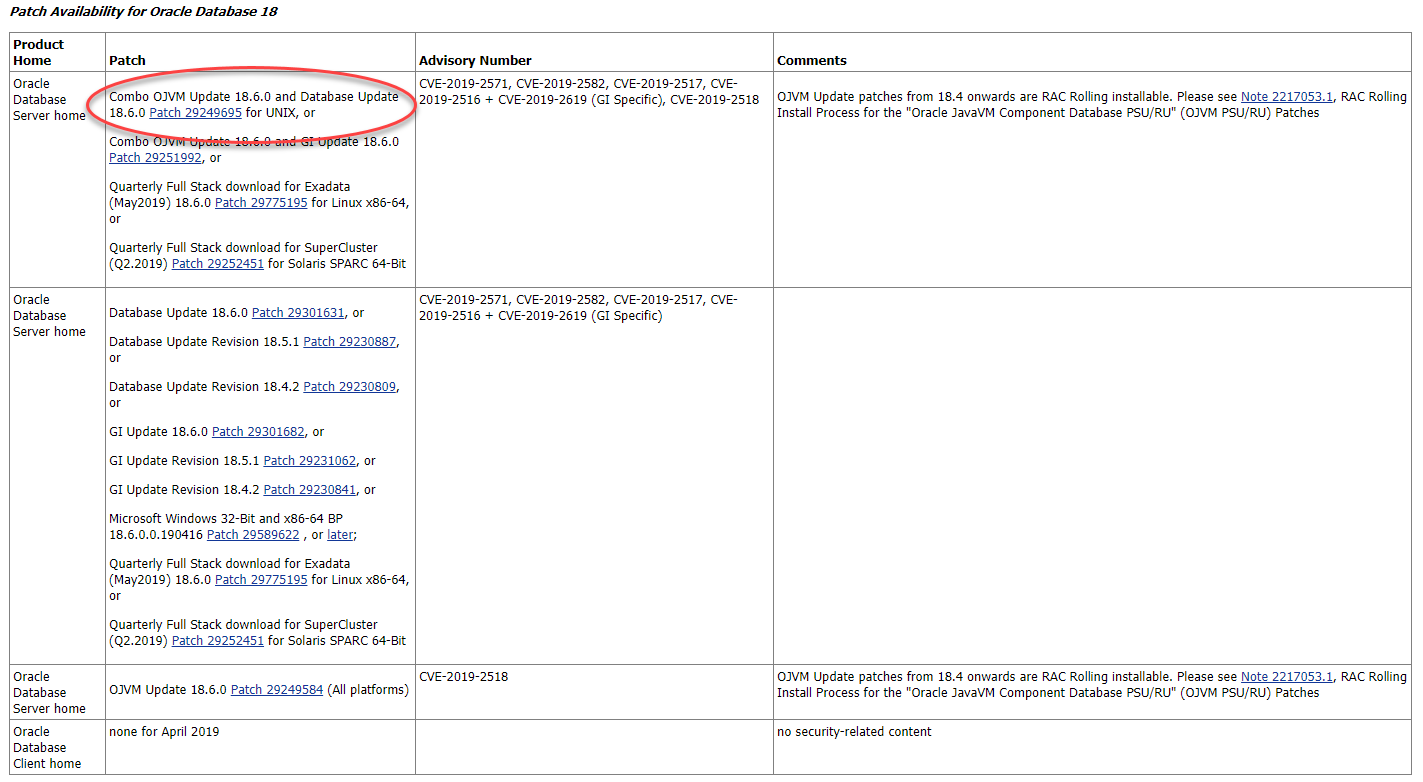
Decide which of the patches you need. For a single instance database I usually pick the "Combo OJVM Update and Database Update Patch for UNIX".
Step 5
6

Fusion Middleware (FMW) Patches

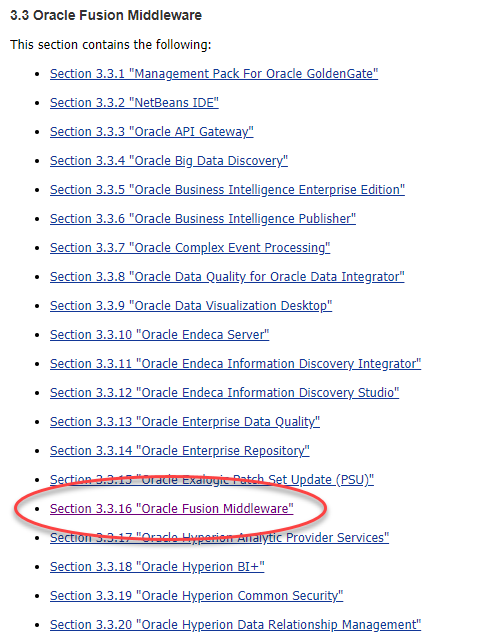
When you click on the patch link, it will take you to the MOS download page. Download the version of the patch for your operating system, and follow the patch notes ("Read Me" button) to apply the patch. Click on the "Oracle Fusion Middleware" link on the product family page shown above. We are presented with a breakdown of sections related to the Fusion Middleware. In this case we only care about the core FMW patches, so click the "Oracle Fusion Middleware" link again.
Step 6
7

Fusion Middleware (FMW) Patches

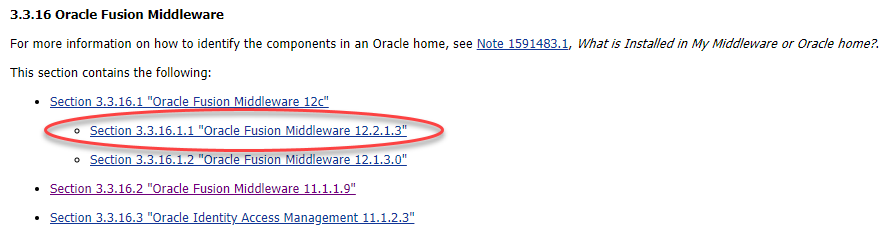
Click the link to the FMW version you are interested in. In this case we'll pick the "Oracle Fusion Middleware 12.2.1.3" link.
Step 7
8

Fusion Middleware (FMW) Patches

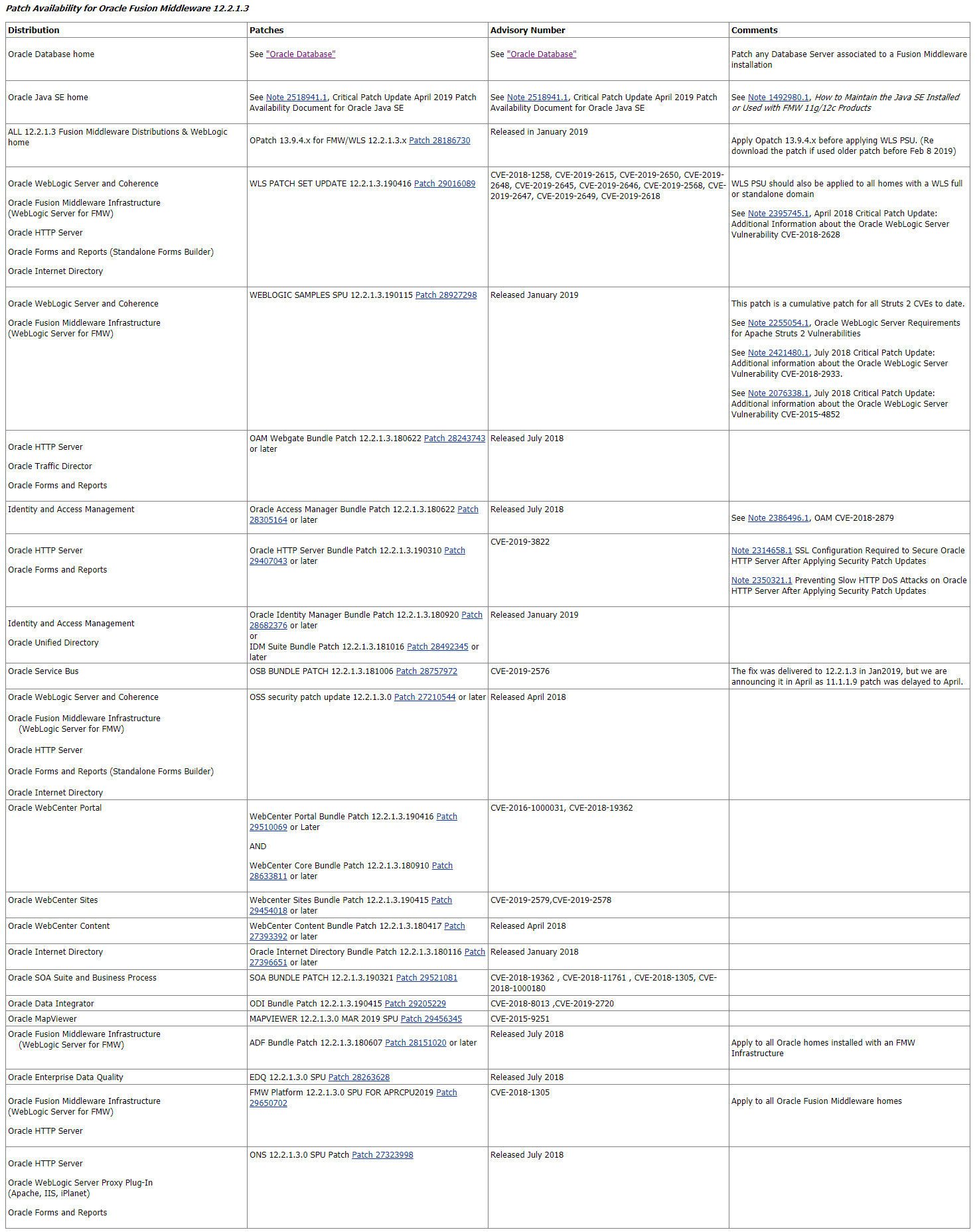
There will be a number of patches needed each quarter, including the Java, WebLogic and product-specific patches.
Step 8
9

General Approach

When you click on the patch link, it will take you to the MOS download page. Download the version of the patch for your operating system, and follow the patch notes ("Read Me" button) to apply the patch. I prefer to download all the patches and create a single patch note, based on all the patch notes from the individual patches. Each quarter I go through the same approach, which I will summarise here. The first thing I do is skim through the advisory. If you scroll down through the quarterly advisory you will see matrices of the security vulnerabilities for each product. I write a summary of the vulnerabilities for each product used in the company, including the "Remote Exploit without Auth.?" and "Base Score" values. This can be used to assess the relative risks associated with not patching each product. For each product we use, I download all the patches available this quarter, including the latest OPatch utility and place them in a quarterly product-specific directory. Some products like FMW, OBIA and WCC include patches from previous quarters. I download them anyway and keep a full set for the quarter. That way a new installation has a ready made package for bringing it up to date. The OPatch utility doesn't let you re-apply a patch already present, so it's quite easy to simplify the process by having a very similar process each quarter. Once I've got all the patches, I write a patching script for each product. For the database this includes OPatch and the latest database patches. For FMW this includes Java, WebLogic and all product-specific patches. The 11g WebLogic patches are applied using the BSU utility. The Weblogic 12c patches, along with the product-specific patches, are applied using the Opatch utility. We try to standardise our installations, which means patching each product is the same in each environment. For more information see: - Critical Patch Updates, Security Alerts and Bulletins Hope this helps. Regards Tim...
Step 9

Comments (0)

Please to add comments

No comments yet. Be the first to comment!