DBA Hub

📋Steps in this guide1/13

Standalone Forms Builder 12c (12.2.1) Installation on Windows

Easily deploy a Forms Builder development environment without needing a WebLogic Infrastructure installation.
oracle 12cconfigurationintermediate
by OracleDba
12 views
1

Forms Builder Installation

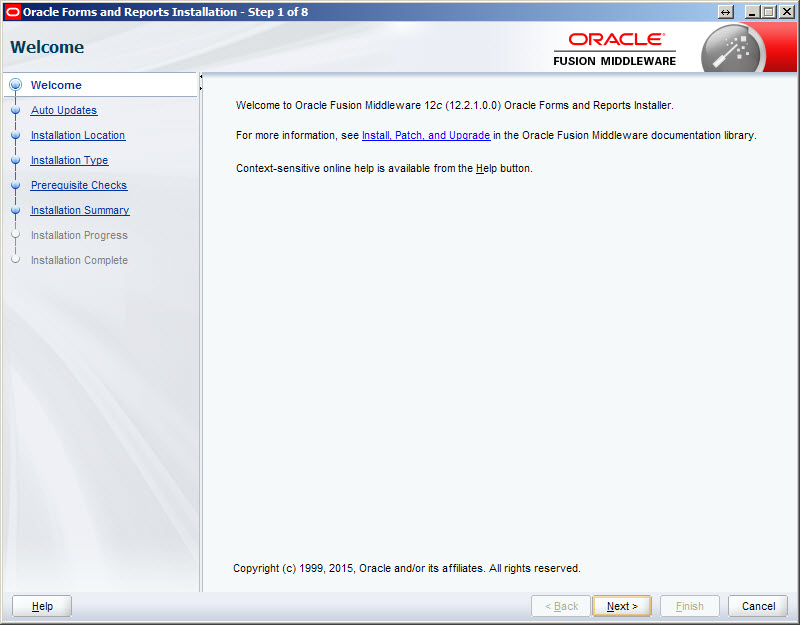
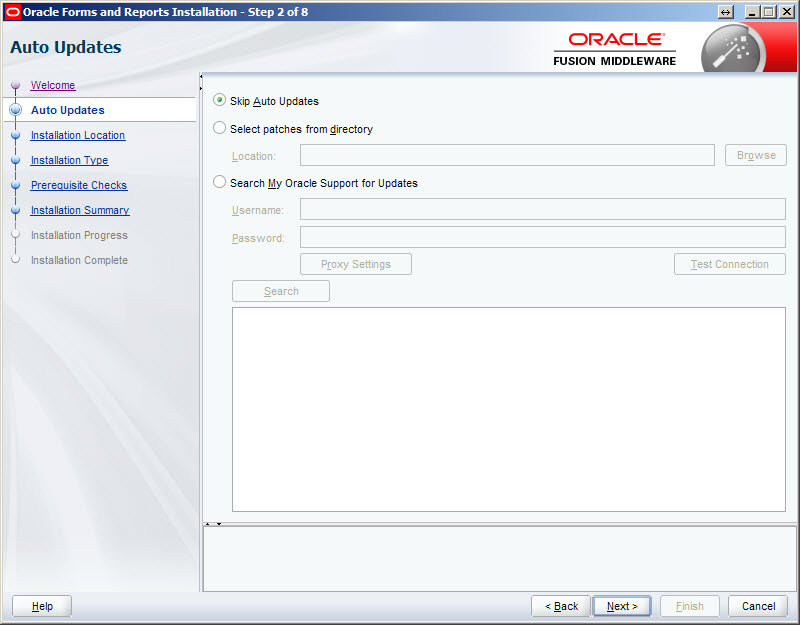
The standalone installation does not allow forms to be run, just built and compiled. To run them, they must be deployed to a full installation of Oracle Forms and Reports Services. There is no standalone equivalent of Oracle Reports. - Downloads - JDK8 Installation - Forms Builder Installation Related articles. Download the following software. Double-click on the "jdk-8u65-windows-x64.exe" executable and install as usual. Double-click on the "setup_fmw_12.2.1.0.0_fr_win64.exe" file. Once the GUI Self Extractor is complete, you will be presented with the welcome screen. Click the "Next" button. Accept the "Skip Auto Updates" option by clicking the "Next" button.
Step 1
2

Forms Builder Installation

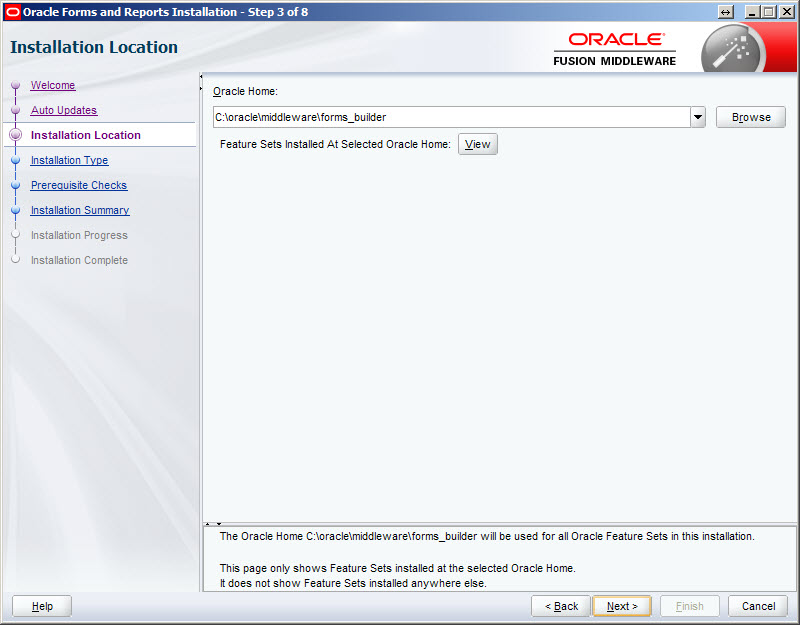
Enter an Oracle Home location and click the "Next" button. In this case I used the path "c:\oracle\middleware\forms_builder".
Step 2
3

Forms Builder Installation

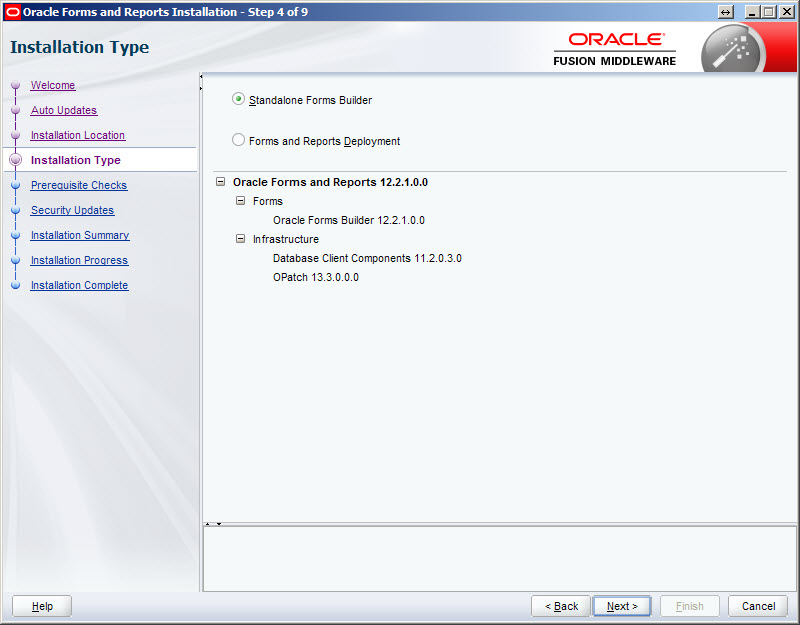
Accept the "Standalone Forms Builder" option by clicking the "Next" button.
Step 3
4

Forms Builder Installation

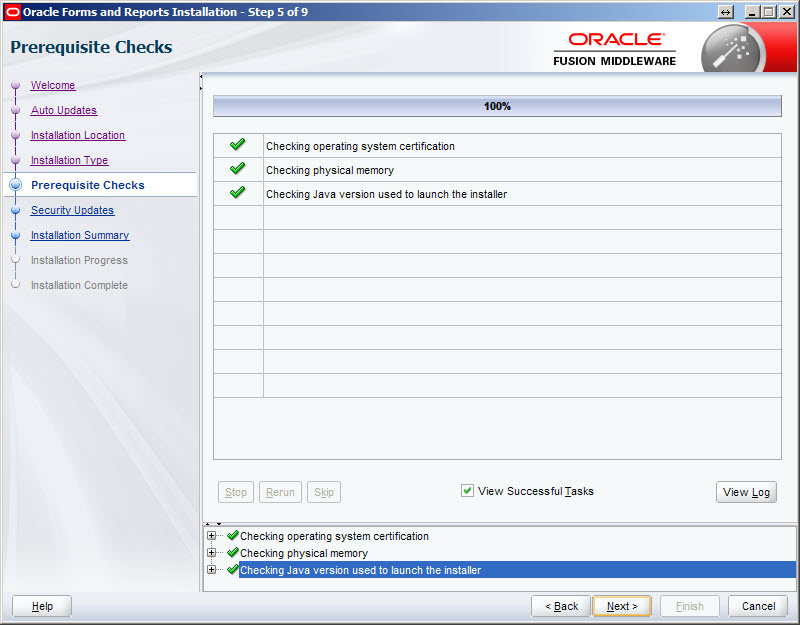
Once the prerequisite checks are complete, click the "Next" button.
Step 4
5

Forms Builder Installation

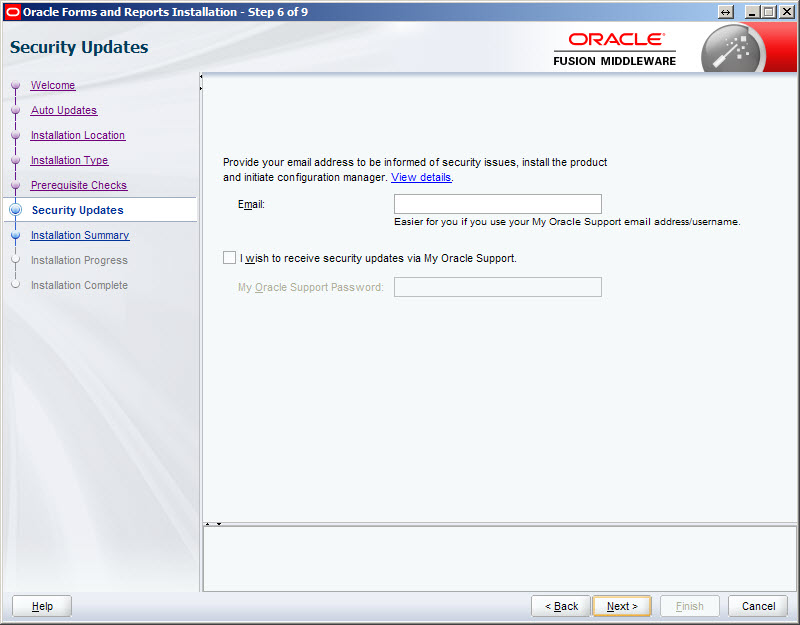
Uncheck the security updates checkbox and click the "Next" button. Click the "Yes" button on the subsequent warning dialog.
Step 5
6

Forms Builder Installation

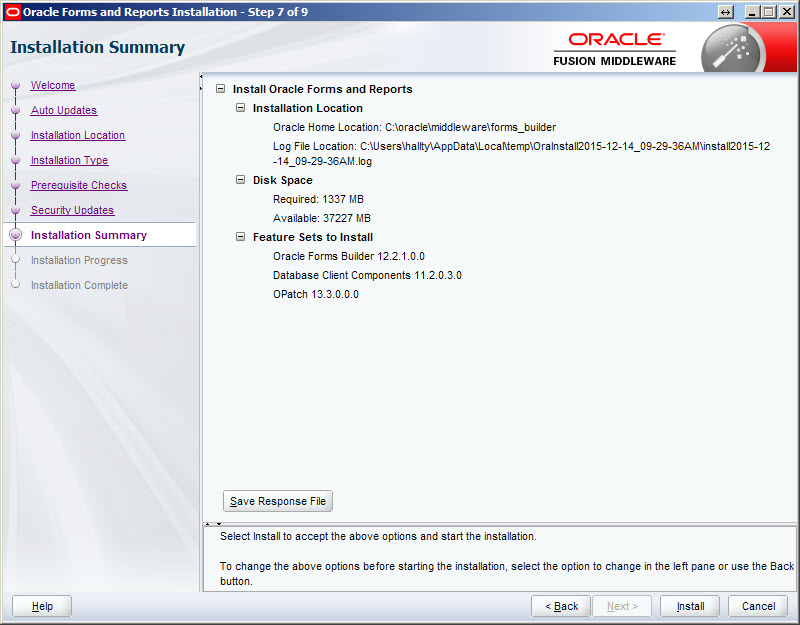
If you are happy with the installation summary, click the "Install" button.
Step 6
7

Forms Builder Installation

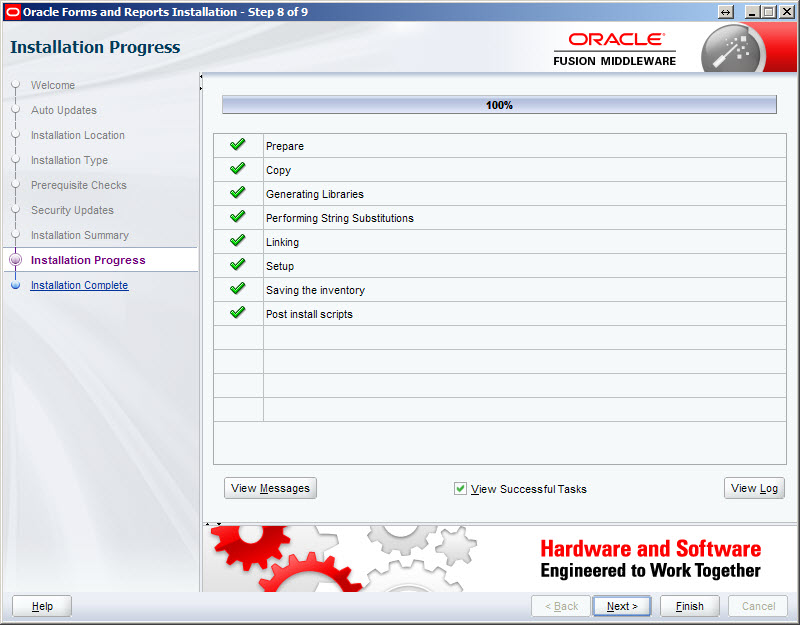
Once the installation is complete, click the "Next" button.
Step 7
8

Forms Builder Installation

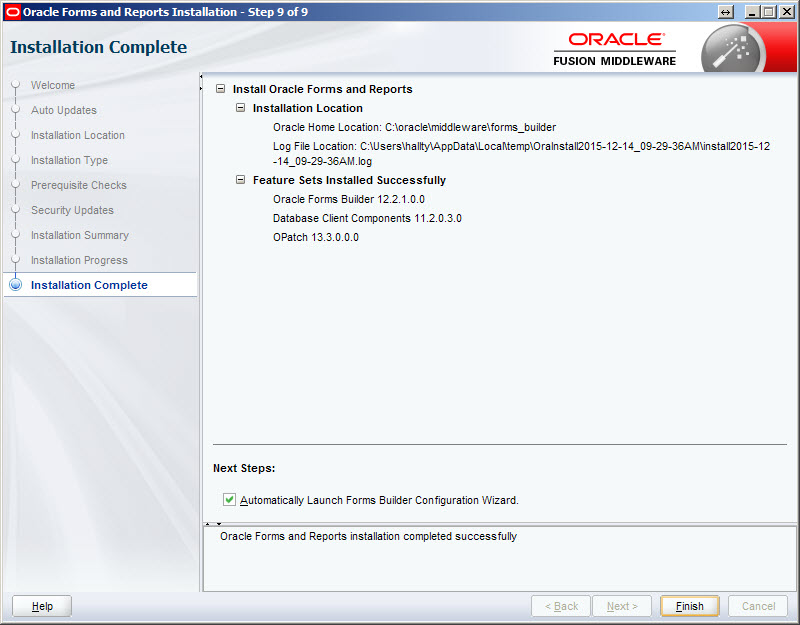
Check the "Automatically Launch Forms Builder Configuration Wizard" option and click the "Finish" button.
Step 8
9

Forms Builder Installation

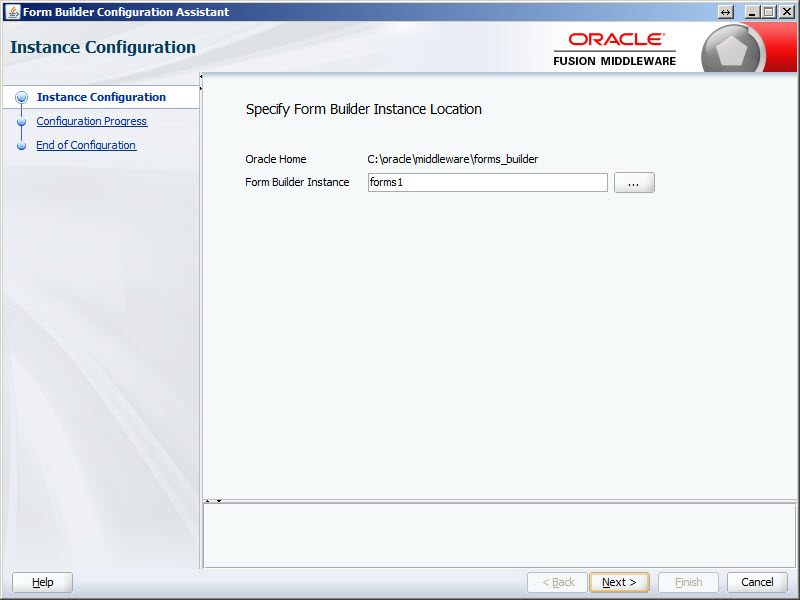
Enter a name for the form builder instance. In this case I used "forms1", so I had to manually create a directory called "forms1" under the Oracle Home location. Once this is done, click the "Next" button.
Step 9
10

Forms Builder Installation

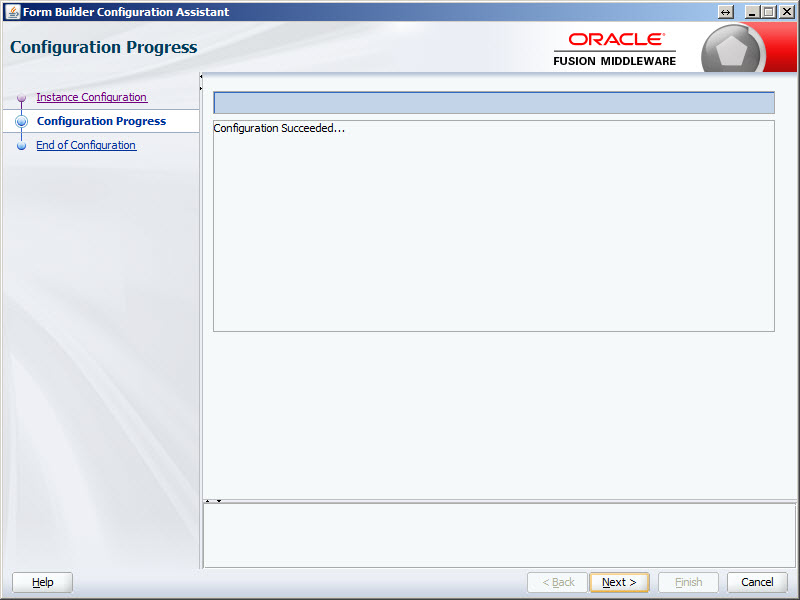
Once the configuration is complete, click the "Next" button.
Step 10
11

Forms Builder Installation

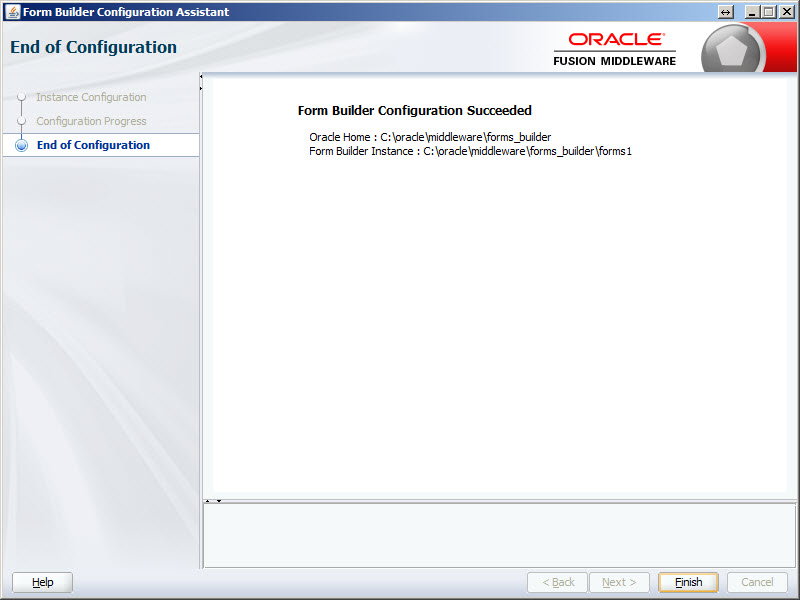
Click the "Finish" button to exit the installer.
Step 11
12

Forms Builder Installation

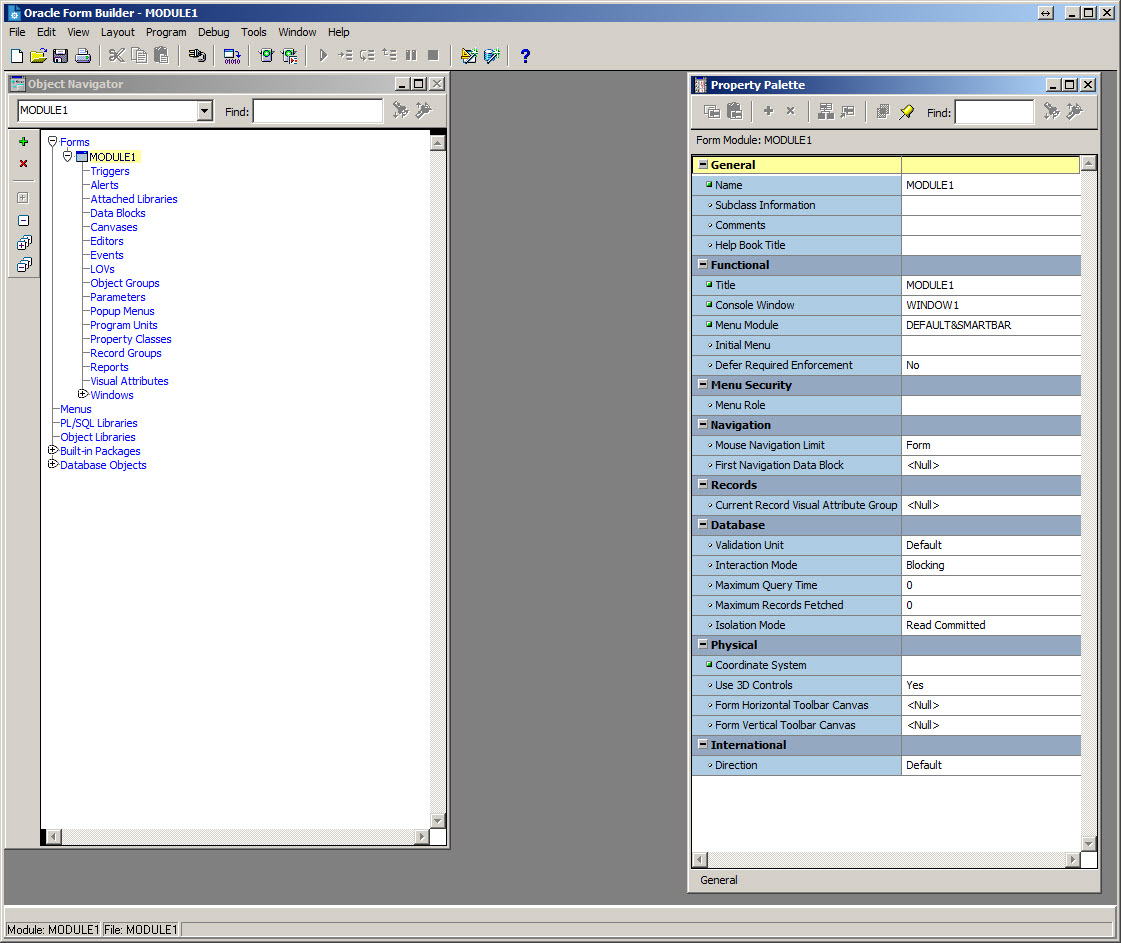
Start "Form Builder" from your Windows menu.
Step 12
13

Forms Builder Installation

For more information see: Hope this helps. Regards Tim...
Step 13

Comments (0)

Please to add comments

No comments yet. Be the first to comment!